
What is Bandicam AI Studio?
Bandicam AI Studio is an online studio at bandicam.ai where you can make videos, images and audio with AI, and use practical AI tools such as subtitles, upscaling and background removal. It runs in your web browser, so there is nothing to install.
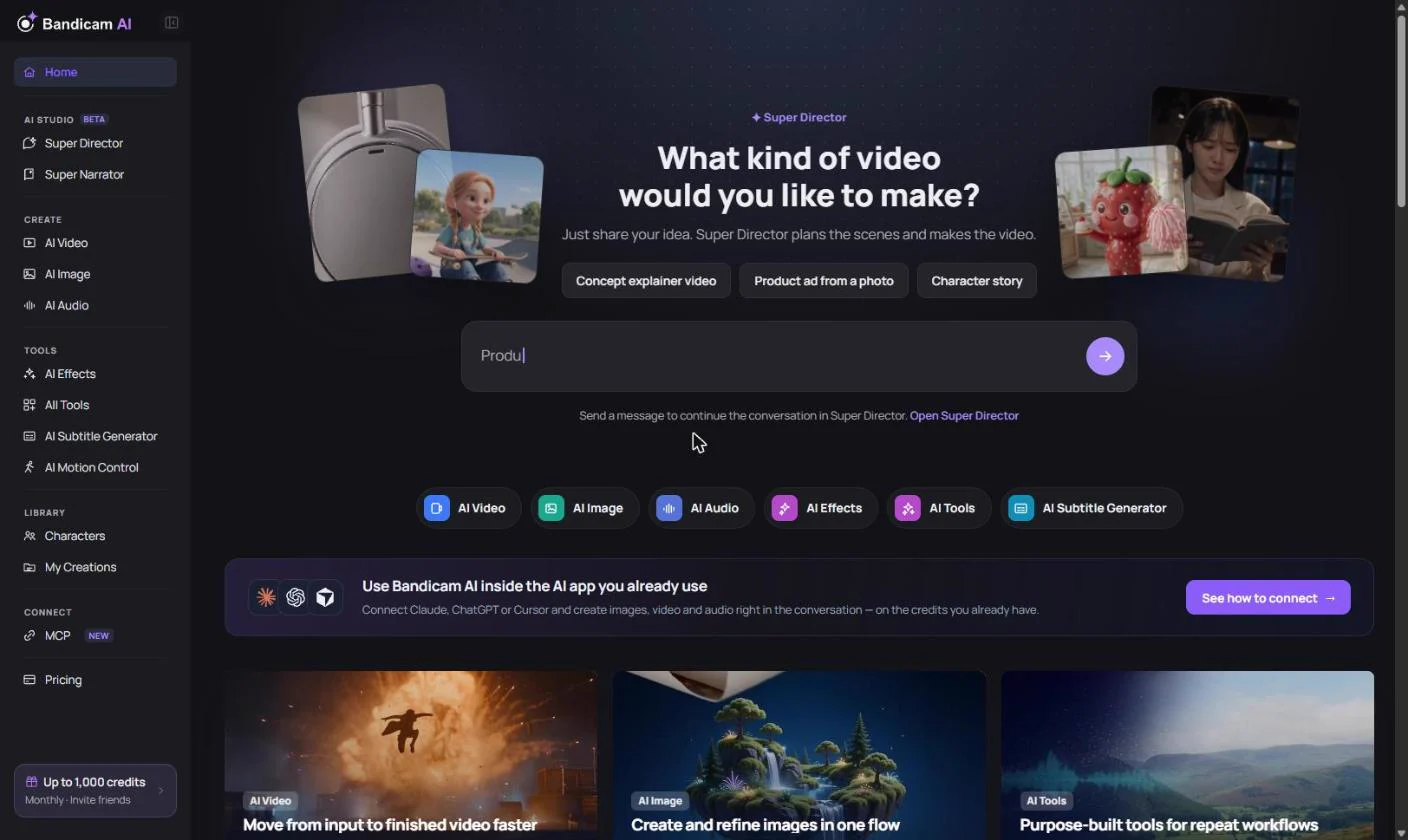
What you can do
| Section | What it does |
|---|---|
| AI Video | Turn a text prompt, reference images or a start frame into a video clip. |
| AI Image | Create images from text, or edit and combine existing images. |
| AI Audio | Generate voiceovers, music and sound effects, change or translate voices, and make lip-sync videos. |
| AI Effects | One-click effects such as kiss, hug and wedding videos, or face swap. |
| All Tools | Subtitle generator, video and image upscalers, background remover, motion control and more. |
| Super Director | Describe an idea in a chat. AI plans the scenes and makes the video, up to 2 minutes with music and narration. |
| Super Narrator | Turn a topic or script into a narrated video with voice, pictures, captions and music, up to 30 minutes. |
| Characters | A library of ready-made characters you can place in images and videos. |
| My Creations | All your results, uploads and activity in one place. |
Each section offers several AI models from different providers, so you can pick the one that best suits your project and budget.
How you pay
Generations are paid for with credits. Most new accounts get free credits after verifying their email, and you can add more with a monthly plan or a one-time credit pack. See How credits work.
Your account
AI Studio uses your Bandicam account (the same account as My Bandicam Space at my.bandicam.com). Your credits and creations are also available in the AI features of the Bandicam app and in AI assistants you connect through MCP.
Your content and results
- Can I use what I make, including commercially? Bandicam doesn’t claim ownership of results just because they were made in AI Studio, and you keep ownership of what you upload. You need the rights to anything you upload, and it’s up to you to check that you may lawfully use, publish or sell a result.
- Are my uploads or results used to train AI models? No. They aren’t used to train or improve AI models unless you separately opt in.
See the AI Service Terms for the full conditions.
Get started in four steps
- Create a free account at bandicam.ai and verify your email.
- Pick a section from the menu on the left: Super Director and Super Narrator at the top, then AI Video, AI Image, AI Audio and the tools.
- Describe what you want, check the credit cost and press Generate.
- Download or share the result from My Creations.