
Image templates
Templates are ready-made prompts for popular looks, such as product ads, profile photos, character sheets and photo edits. Pick one, add your photo or subject, and generate; no prompt writing needed.
Use a template
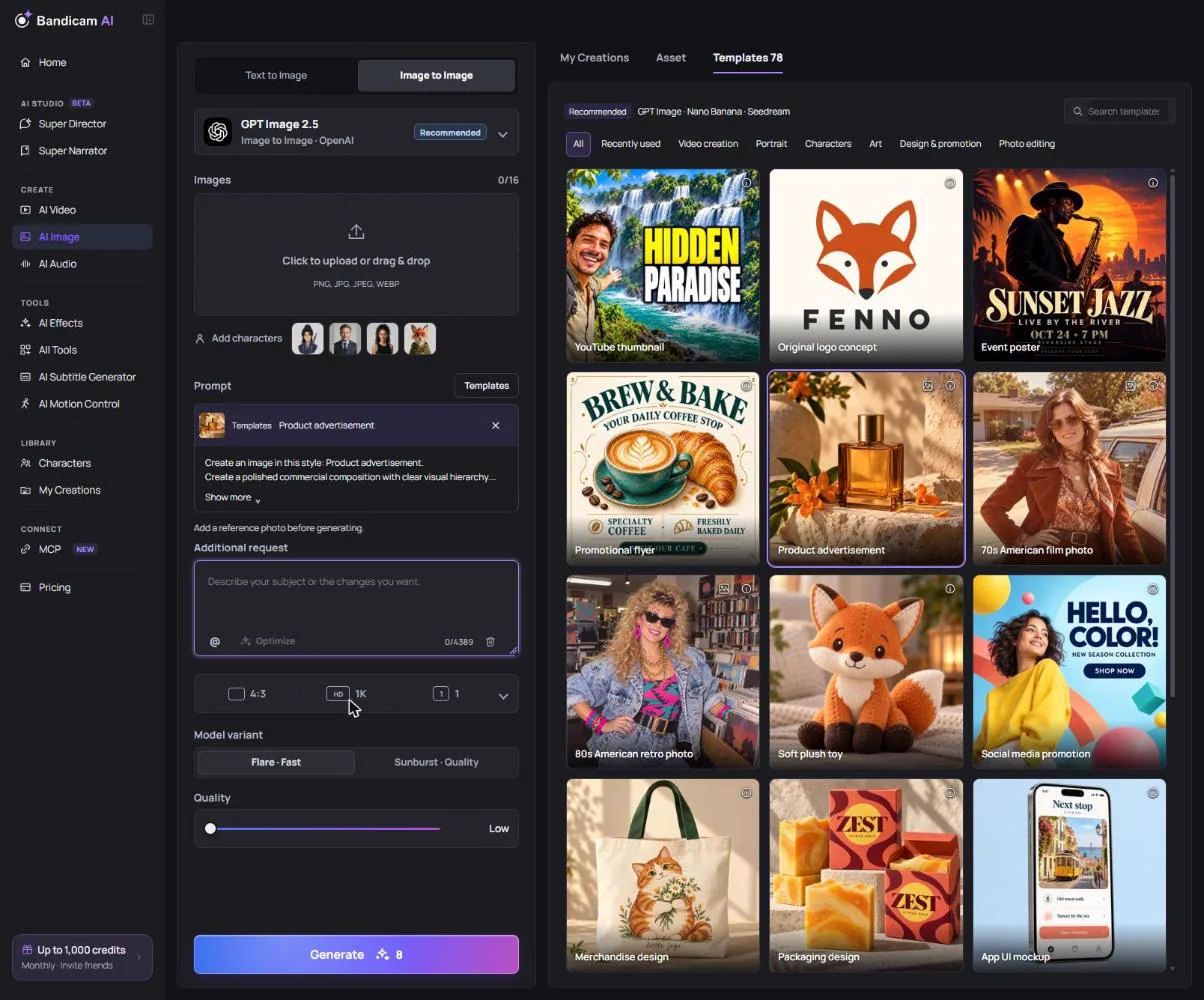
- In AI Image, open the Templates tab on the right.
- Find a template: use Search templates, or filter by category: Design & promotion, Portrait, Characters, Art, Photo editing or Video creation. Your Recently used templates are kept in this browser.
- Click a template. Its prompt is added above the prompt box and locked; Show more reveals it in full.
- Add your part in Additional request: your subject, product name, colors or changes.
- Add a photo if the template is marked Photo required; AI Image switches to Image to Image for you.
- Press Generate.
Good to know
- Template previews are illustrative; your result follows your photo and request.
- Models that work well with templates are marked Recommended in the model list.
- If you see “The combined prompt is too long”, shorten your additional request.
- A template that edits a photo needs an image editing model; switch models if asked.