
AI Effects
AI Effects are ready-made templates. Pick an effect, upload your photos and generate; no prompt is needed.
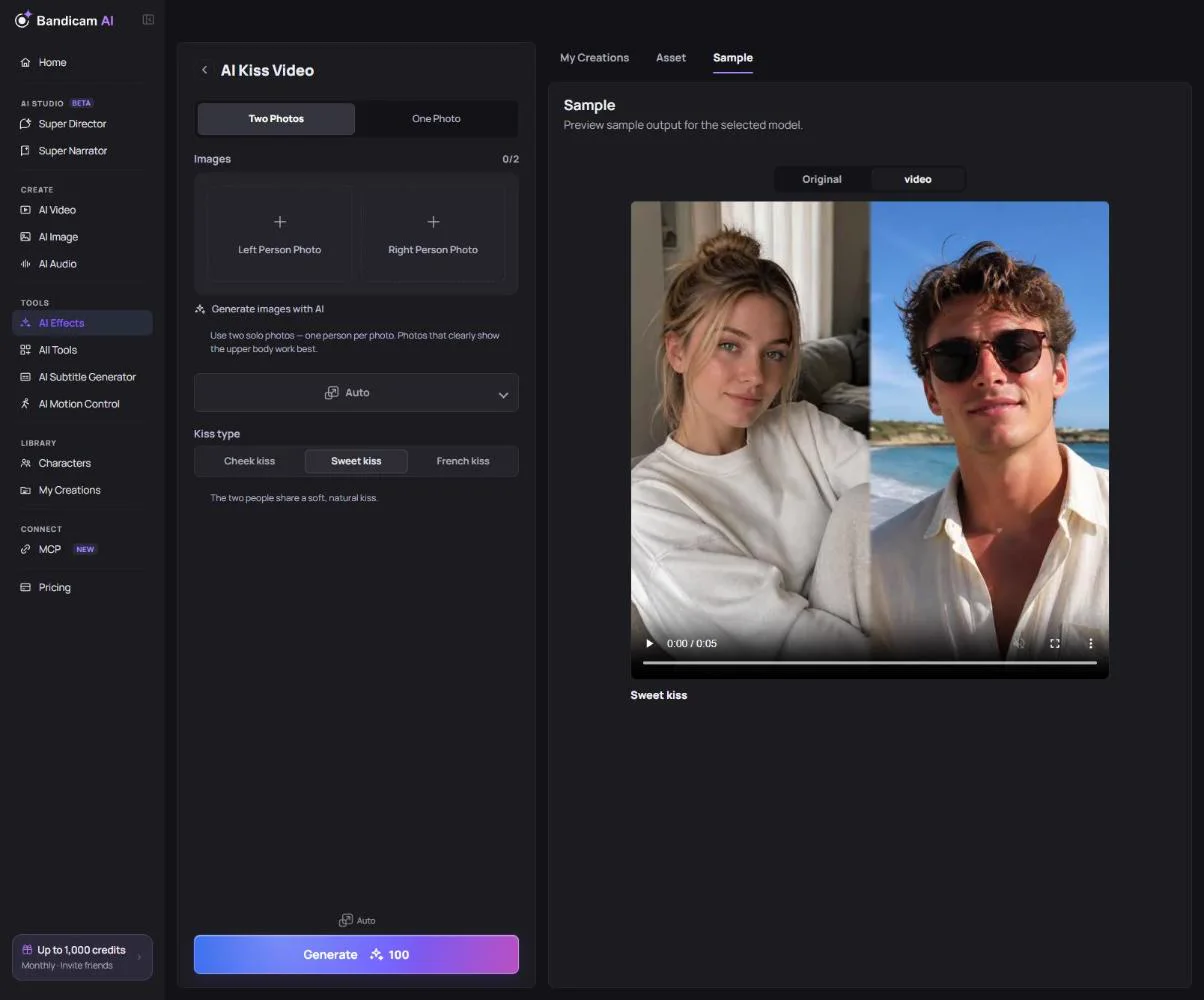
Kiss, hug and wedding videos
These effects turn photos of two people into a short video. Choose how to add the people:
- Two Photos — one solo photo for the person on the left and one for the person on the right. They’re combined into one couple photo first.
- One Photo — one photo that already shows both people.
For the kiss video, choose the kiss type: a cheek kiss (the person on the left kisses the right person’s cheek), a sweet kiss or a French kiss. Photos can be JPG, PNG or WebP, up to 20 MB and at least 300 pixels. If a face isn’t found automatically, you’ll be asked to set the face position yourself.
Face Swap
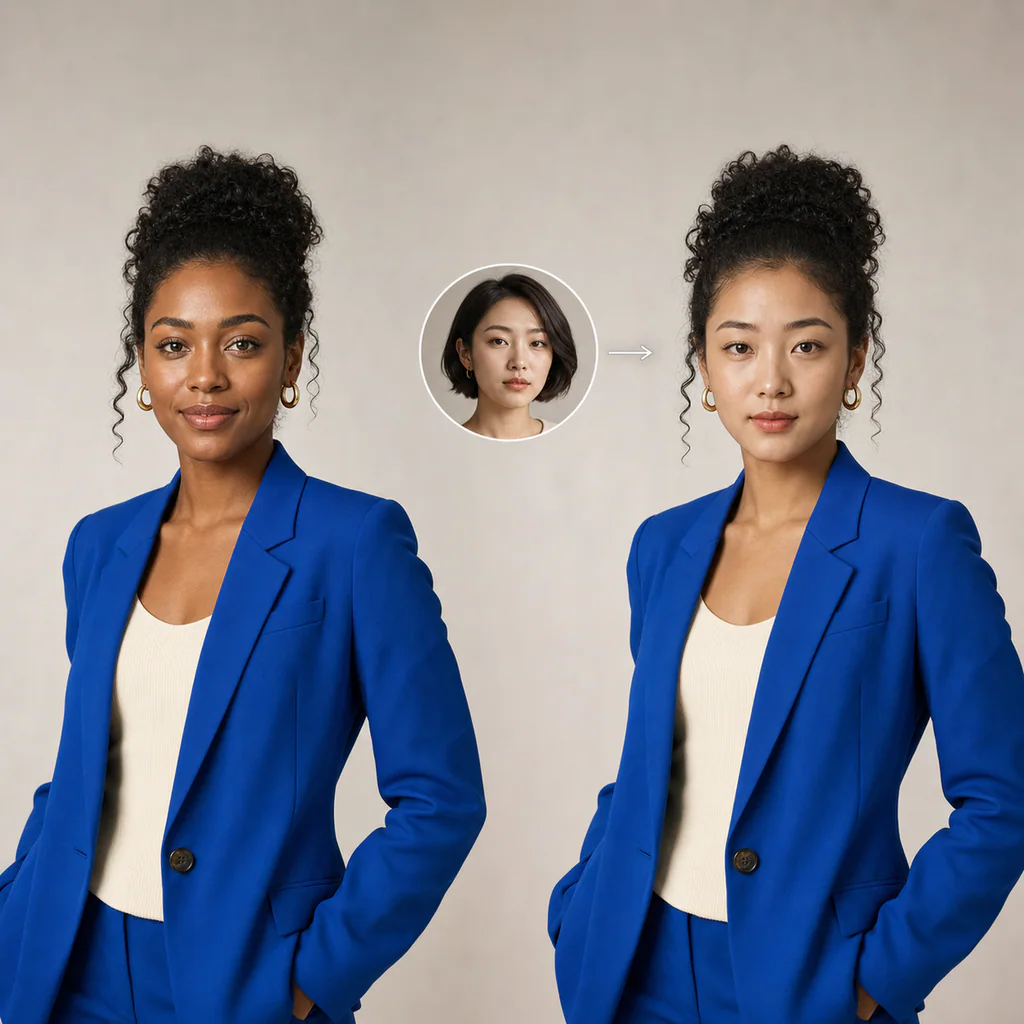
Face Swap puts the face from one photo onto the person in another. Upload the face photo first, then the original photo.
Muscle Builder and Bust Enhancer
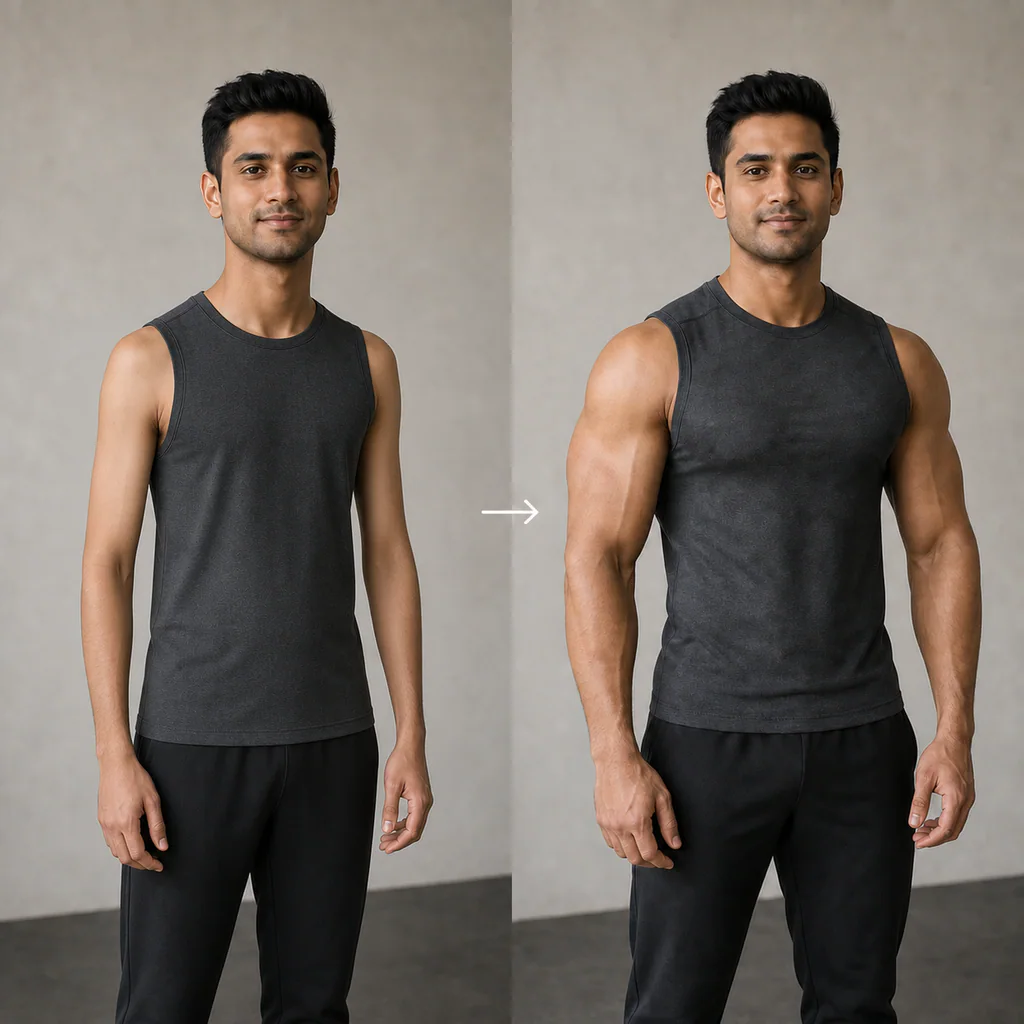
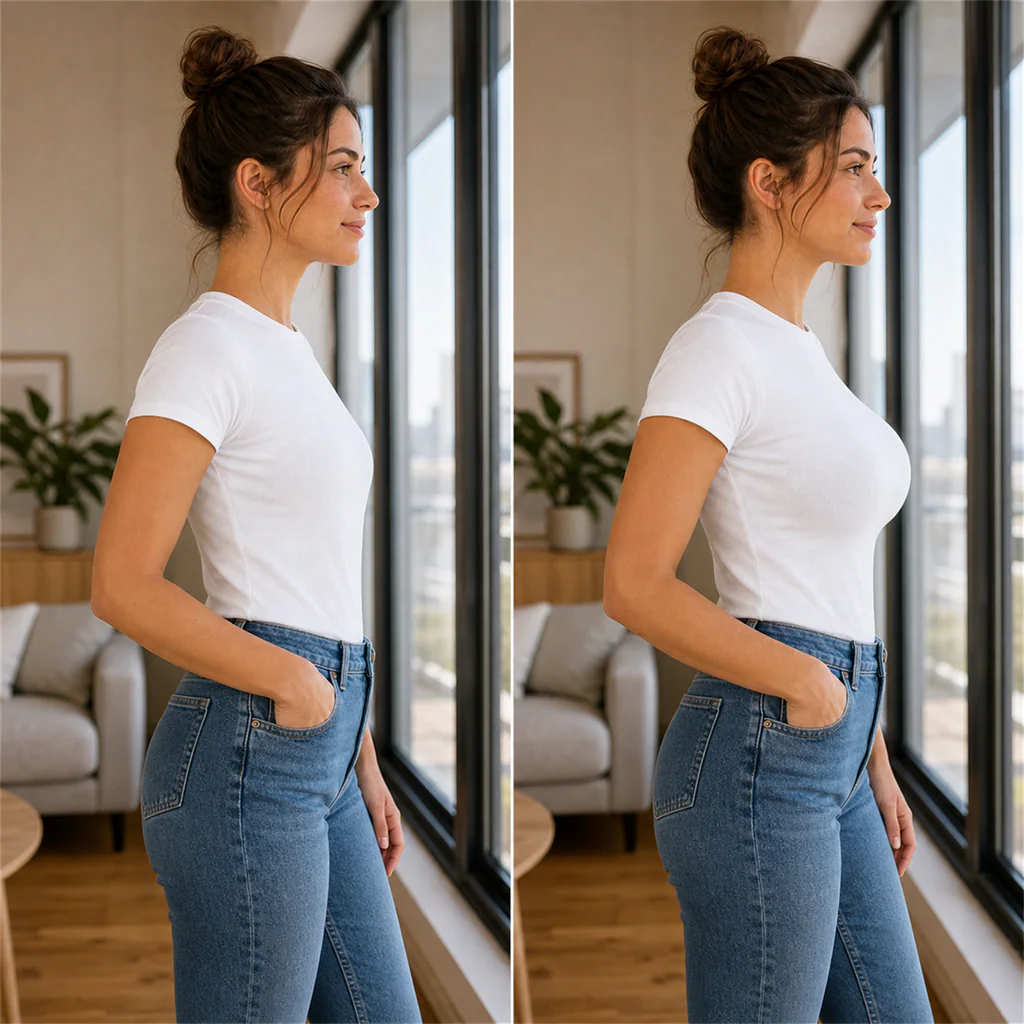
- Muscle Builder — choose a muscle level from Slim to Bodybuilder.
- Bust Enhancer — choose the volume, and whether to also refine the body line.
What it costs
Video effects are charged per video, and photo effects per image. The price is on the button.
Only use photos of people who agreed to it. Photos of real people or minors may be refused by the safety filter (your credits are refunded), and creating deceptive, sexual or harmful content of real people isn’t allowed.