
What is Super Director?
Super Director makes a video from an idea you describe in a chat. You say what you want; it works out the story, the people, the place and the style, writes a scene-by-scene plan, picks the model and settings, and generates the video. Works can be up to 2 minutes long, with background music, narration and captions.
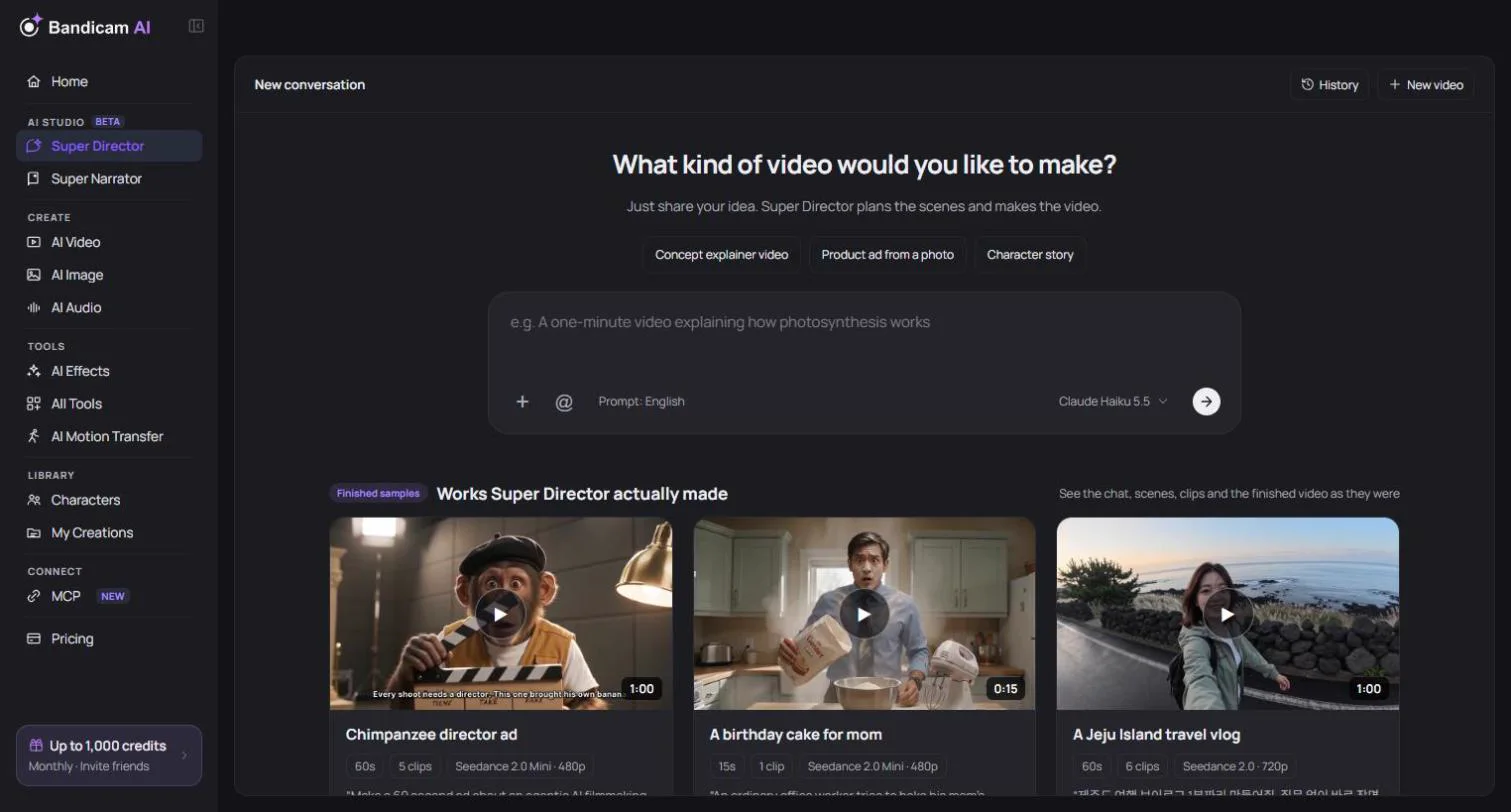
See what it can make
These samples were made with Super Director from a single request. In the app you can open each one to see the whole chat, the scene plan, every clip and the finished video, even before you sign in.
How a project works
- Describe your idea. Write what you want to make in the chat. Attach photos, videos or audio if you have them. More about writing a request
- Answer a few questions. The Director may ask about the mood, aspect ratio or length. Pick an answer, type your own, or let it decide.
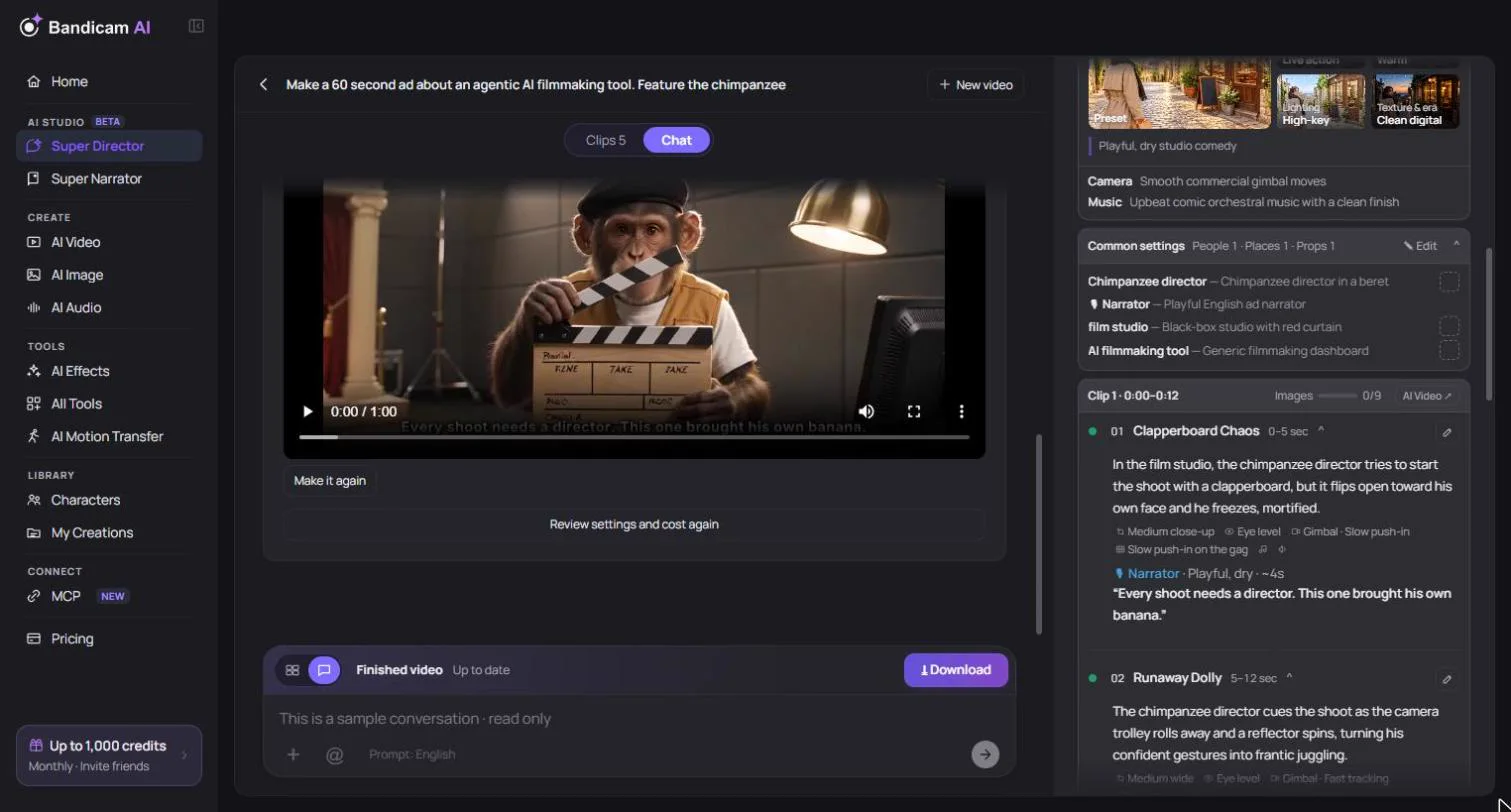
- Review the plan. Check the scenes, cast, setting, style and total length. Ask for changes in the chat, or edit a scene directly. Changing scenes
- Make the video. A short work is made as one video. A longer one is made as several clips, automatically or one at a time. Making the clips
- Add music and narration, then join. For longer works, add background music and narration, style the captions, and join all clips into one finished video. Finishing the video
Short works and long works
| Short work | Long work | |
|---|---|---|
| Length | Fits in one generation of the chosen model | Longer than one generation, up to 2 minutes |
| Scenes | Up to 12 | Up to 40 |
| How it’s made | One video | Several clips, then joined into a finished video |
| Music, narration, captions | Sound from the video model | Optional background music, narration and captions on top |
You don’t have to choose: the Director decides from the length and the number of scenes in your plan.
What costs credits
| Step | Credits |
|---|---|
| Chatting and planning | Free with the default writing models. Other writing models charge by usage; you’re asked to confirm before using one. |
| Video and clips | Charged by the video model, length and resolution. |
| Reference images and storyboard | Charged as image generations when you choose to make them. |
| Music and narration | Charged when you make them. |
| Joining the clips | Charged by the length of the work. |
Every price is shown before you confirm and is checked again when you press generate. If you don’t have enough credits, nothing is charged. Credits for clips that fail are refunded. See How credits work.
Where your works are kept
Each conversation is a project and is saved automatically. Reopen it from History, even in another browser (files you attached from your computer may need to be attached again). A conversation is kept for 30 days after it was last saved, or for as long as you have a credit plan (plus 30 days after it ends). Keeping a project doesn’t extend how long its media is kept: without an active plan, its clips, references and other files can expire after 7 days even while the project remains. Clips and finished videos are also saved to My Creations.
Tip: Super Director is best when you want a story or ad with several scenes. To turn a topic or script into a long narrated video with pictures and captions (up to 30 minutes), use Super Narrator. For a single clip with full control over the prompt, use AI Video.