
AI Voice Changer
AI Voice Changer replaces the voice in a recording with another voice. The timing, delivery and emotion of the original stay the same; only the voice character changes.
Change a voice
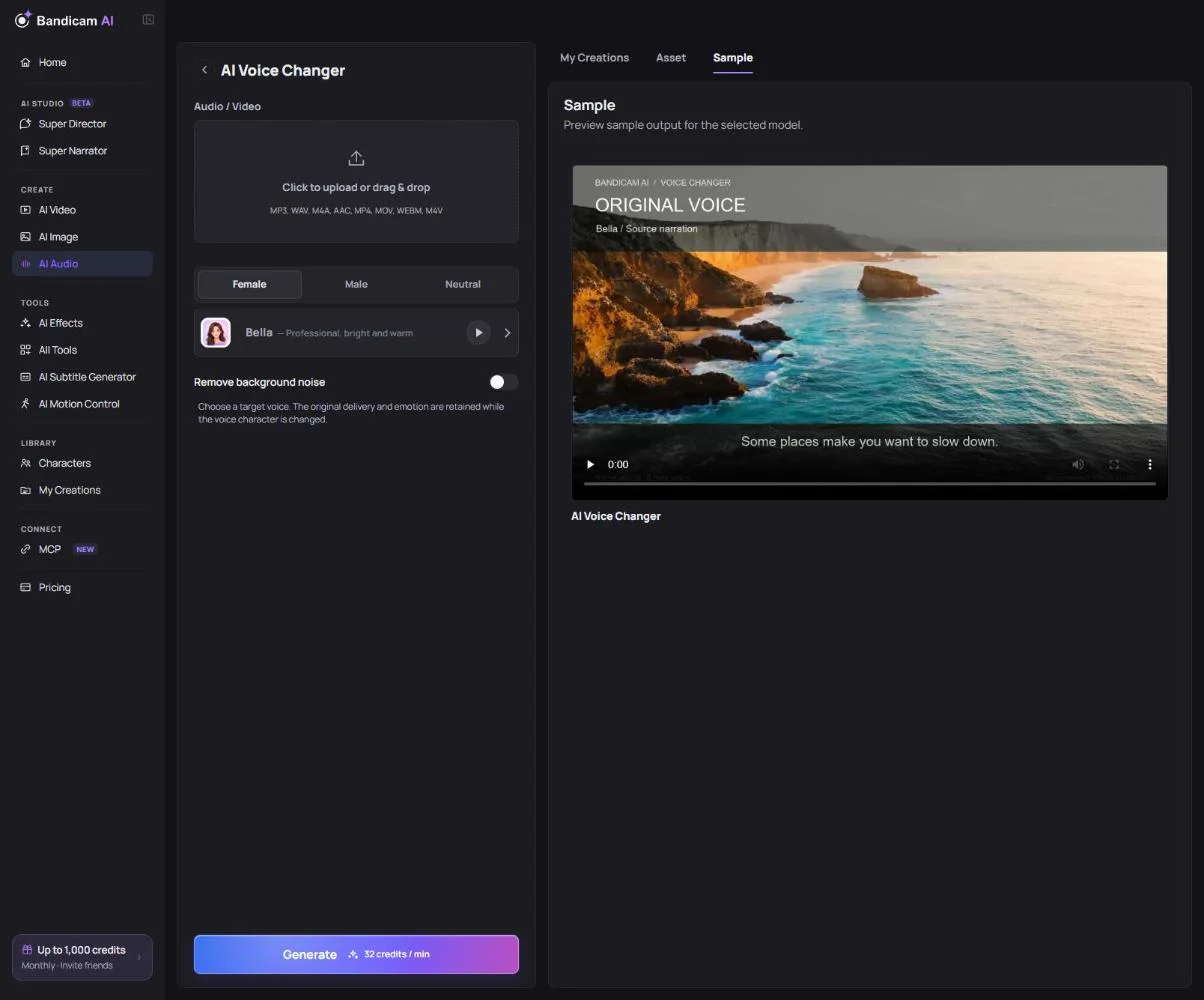
- Upload a file: audio (MP3, WAV, M4A, AAC) or video (MP4, MOV, WebM, M4V), up to 100 MB and 5 minutes. If you upload a video, only its audio is extracted on your device and uploaded.
- Choose a target voice (you can filter by gender).
- Turn on Remove background noise if the recording has noise you want to clean up.
- Press Generate. The result is an audio file, even when you upload a video.
What it costs
Charged per minute of the uploaded audio. The price is shown once the file is added.
“No speech was found in this file.”
The file has music or noise but no clear speech. Use a recording where someone is talking.
“This video does not contain a usable audio track.”
The video has no sound, or its audio can’t be read. Upload the audio file instead.
Use voices you have the right to use. Don’t imitate a real person without their consent; it’s not allowed under the AI Service Terms.