
AI Motion Control
AI Motion Control takes the body movement, hand gestures and facial expressions from a reference video and applies them to a character in your image.
Make your character move
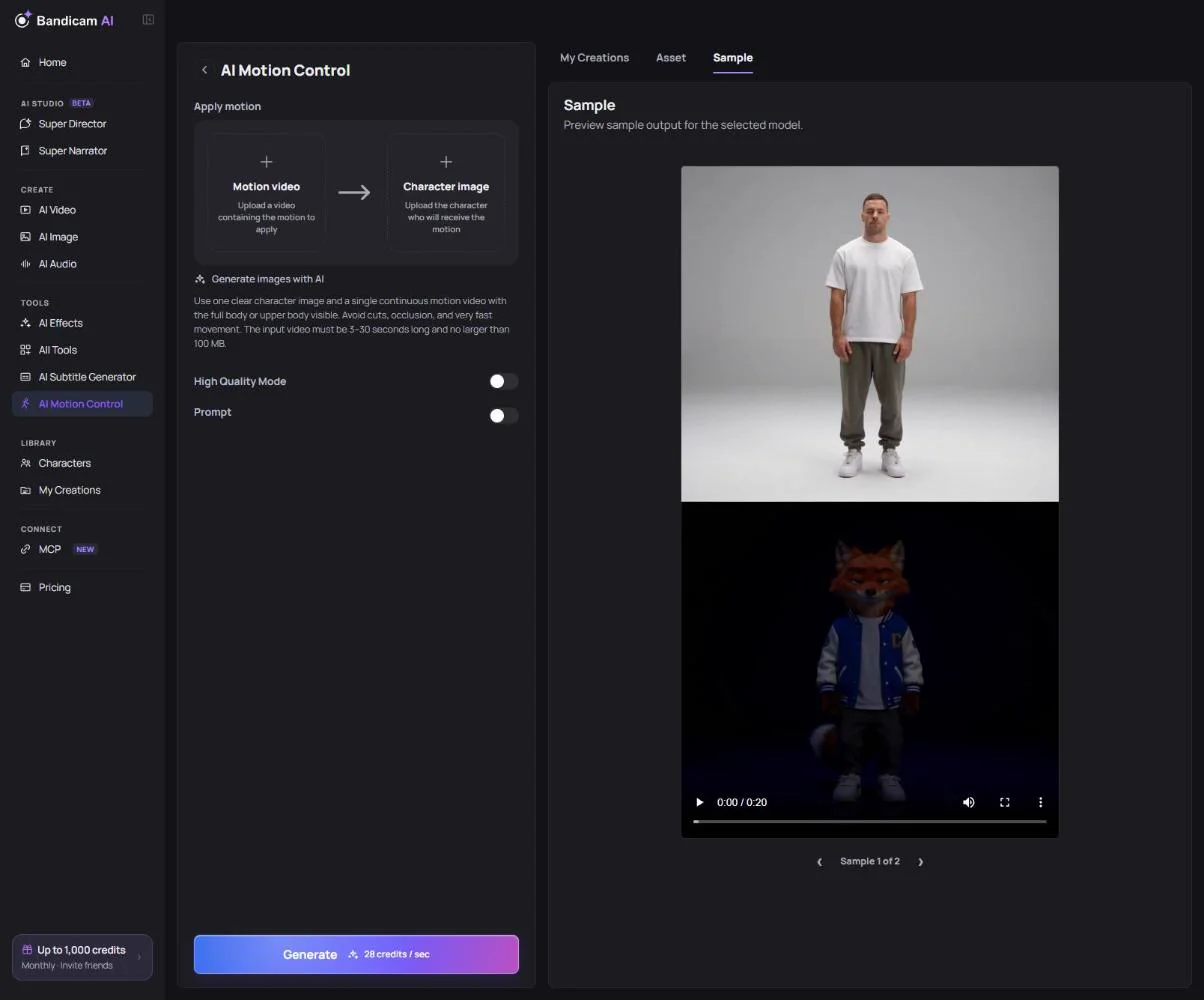
- Add the motion video: MP4 or MOV, 3 to 30 seconds, up to 100 MB.
- Add the character image: JPG or PNG, up to 10 MB, at least 340 pixels.
- Optionally describe the background, camera or details to keep.
- Press Generate. The original sound of the motion video is kept.
High Quality Mode
Turn on High Quality Mode for a more detailed, stable result. In this mode you can also add a face reference image, a clear front-facing photo of the same character, to keep the face consistent. It costs more than the standard mode.
Videos and images that work best
- One person in the motion video, fully in frame, without cuts.
- Avoid very fast movement and anything that covers the body.
- Use a character image with a similar pose and framing (full body for dances, upper body for talking).
What it costs
Charged per second of the motion video; High Quality Mode costs more. The price is on the button.
Photos of real people may be refused by the model’s safety filter. Use an AI-made character or one from Characters.