
What is Super Narrator?
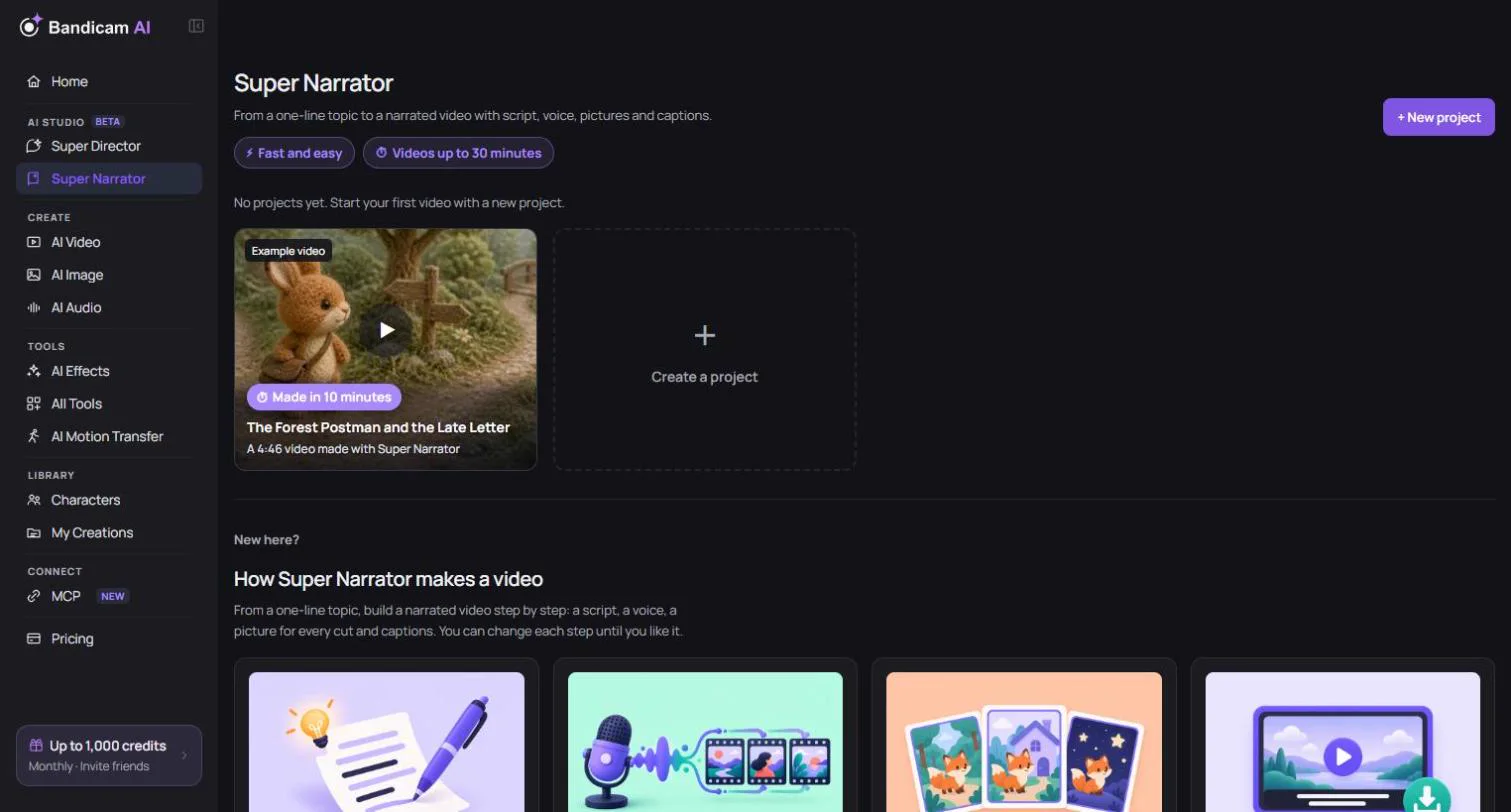
Super Narrator turns a one-line topic or your own script into a narrated video. It writes the script, reads it aloud, splits the video into cuts that follow the speech, makes a picture for every cut, and adds captions and music. It’s made for explainers, history and science videos, stories and product videos, up to 30 minutes long.
The six steps
Open Super Narrator from the menu on the left and press + New project. A project moves through six steps, shown at the top of the page. You can go back to an earlier step at any time.
- Settings — choose a genre, art style, aspect ratio and how often the picture changes. Settings and script
- Script — let the AI write a script from your topic, or paste your own, and choose the length.
- Generate voice — pick a voice and generate the narration. The cuts and captions are timed to the speech. Voice
- Generate images — make a picture for every cut, keeping characters consistent. Pictures and motion
- Generate video — make the pictures move with free panning, or turn cuts into AI video.
- Render video — style the captions, add music and text, and export. Editing · Export
What costs credits
| Step | Credits |
|---|---|
| Script writing | Free with the free writing models (daily limit). Other writing models charge by usage; you’re asked to confirm before using one. |
| Voice | Charged by script length. The price is on the Generate voice button. |
| Pictures and reference images | Charged per image, depending on the image model. |
| AI video clips | Charged per second, depending on the video model and resolution. |
| Background music | Charged when you generate music. Adding your own music is free. |
| Panning, editing, local rendering, ZIP export | Free |
The price is always shown on the button before you start, and generating many cuts at once asks you to confirm the total first. Credits for generations that fail are refunded. A typical way to keep costs low: write with a free model and use panning instead of AI video.
Your projects
Projects are listed under My projects on the Super Narrator home page, most recently edited first. Your work is saved as you go, so you can close the page and pick up where you left off. From a project’s menu you can Rename, Duplicate project or Delete project (deleted projects can’t be recovered).
- How long projects are kept — while you have a credit plan, projects are kept (plus 30 days after it ends). Otherwise a project is kept for 30 days after you last saved it; the date is shown on the project card. Keeping a project doesn’t extend how long its media is kept: without an active plan, the generated and uploaded files it uses can expire after 7 days even while the project remains.
- Your library — voices, pictures, clips and music you generate are also saved to My Creations.
- The finished MP4 — isn’t stored online, so download it when rendering finishes. See Export your video.
Tip: Super Narrator is built around narration over pictures. For a story told with acted scenes, camera moves and dialogue, try Super Director.