
AI Voice Generator
AI Voice Generator turns text into natural-sounding speech. Paste a script of up to 40,000 characters, choose a voice, and download the audio, with subtitles if you like.

Make a voiceover
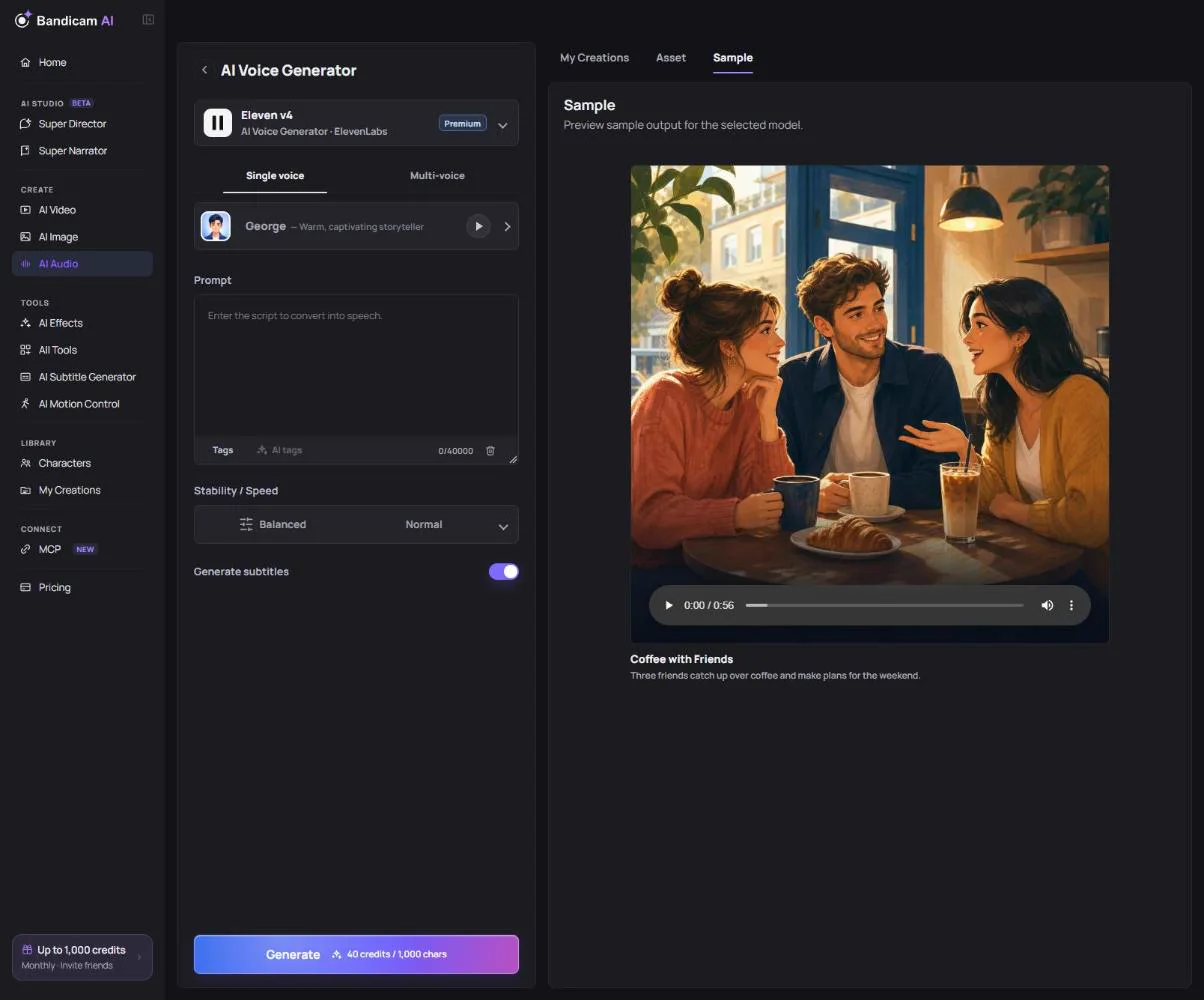
- Write or paste your script in the text box.
- Choose a model (see the table below).
- Pick a voice. Open the Voice library to browse more voices by gender, use and trait, and press Preview voice to listen first. Save the ones you like to Favorites.
- Set the options such as language, speed and emotion.
- Press Generate. The cost is shown on the button before you start.
Choosing a model
| Model | Best for | Options |
|---|---|---|
| ElevenLabs Eleven v4 | The most expressive voices, with emotion and style tags. Also makes multi-voice dialogue. | 16 languages, stability (expressive to stable), voice, speed, voice tags |
| Google Chirp 3: HD | Natural voices at a lower cost, in about 50 language and region variants. | Language, voice, speed |
| Typecast SSFM 3.0 | Natural voices with selectable emotions, strong in Korean. | Language (or Auto), emotion such as happy, sad, whisper or calm, speed from 0.5× to 2× |
Emotion and voice tags
With Eleven v4, open Tags to insert voice tags such as [happy], [whispers], [laughs] or a pause where you want them in the script. AI tags adds suitable emotion tags for you. With Typecast, choose one Emotion for the whole script.
Multi-voice dialogue
With Eleven v4, switch to Multi-voice to make a conversation. Start each line with a speaker label, such as A: or B:, and choose a voice for each speaker. You can use up to 10 speakers (A–J); a line without a label is read by speaker A.
A: Did you try the new cafe on the corner?
B: Not yet. Is the coffee any good?
A: The best I've had all year.
Subtitles and download
Turn on Generate subtitles (Eleven v4 and Typecast) to get captions timed to the speech. When the voice is ready, download the Audio, the Subtitles (SRT), or both as a ZIP. Results are saved to My Creations.
What it costs
Voices are priced per 1,000 characters of script, and the rate depends on the model. Until you type, the button shows the rate; then it shows the exact cost.
“Add a voice for speaker … used in the script.”
A line in your dialogue uses a speaker label that has no voice yet. Add that speaker with Add speaker, or change the label.
Can I use these voices for a long video?
Yes. For narrated videos with pictures and captions, Super Narrator uses voices from the same library and times the video to the speech.