ZunShot Free vs Pro
Capturing is free with no watermark and no time limit. ZunShot Pro unlocks the editing features for people who annotate and share screenshots every day.
Free
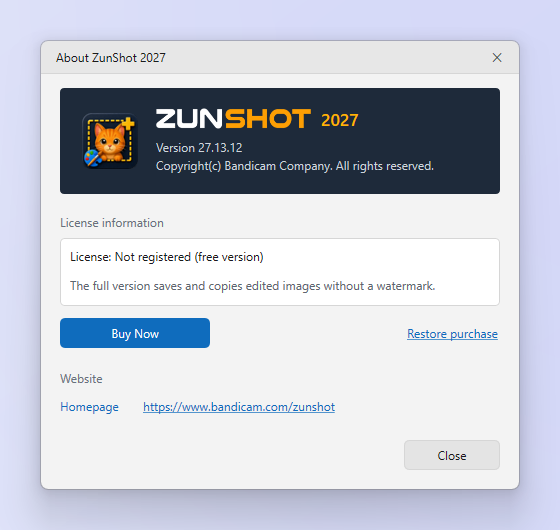
Region, window, full screen, scrolling, web and burst capture. Copy, save and print. Extract text with OCR. Edited images are saved with a ZunShot watermark.
Pro
Everything in Free, plus edited images without the watermark. Pro is a monthly or yearly subscription managed by the Microsoft Store.
Steps
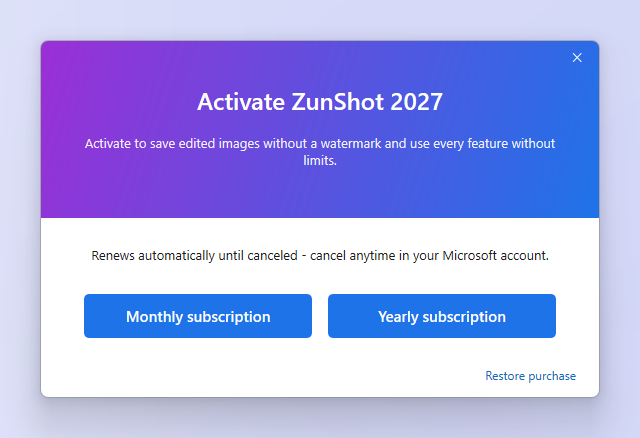
- Open the plan dialog. Click the ⓘ button in the title bar, then Buy Now.
- Choose monthly or yearly. Prices are shown in your Store currency.
- Confirm in the Microsoft Store window. Sign in with your Microsoft account if asked. The app unlocks immediately.
Tips
- Reinstalled Windows? Sign in with the same Microsoft account and use Restore purchase in the same dialog.
- Cancel, renew or change payment in Microsoft account > Services & subscriptions. ZunShot only checks whether the subscription is active.
Frequently asked questions
Does the free version expire?
No. Capture stays free.
Can I use one subscription on two PCs?
Subscriptions follow your Microsoft account, subject to the Store's device rules.