ZunShot Overview
ZunShot is a screen capture and screenshot editor for Windows 10 and 11. It has three ways of working, and every guide page starts from one of them.
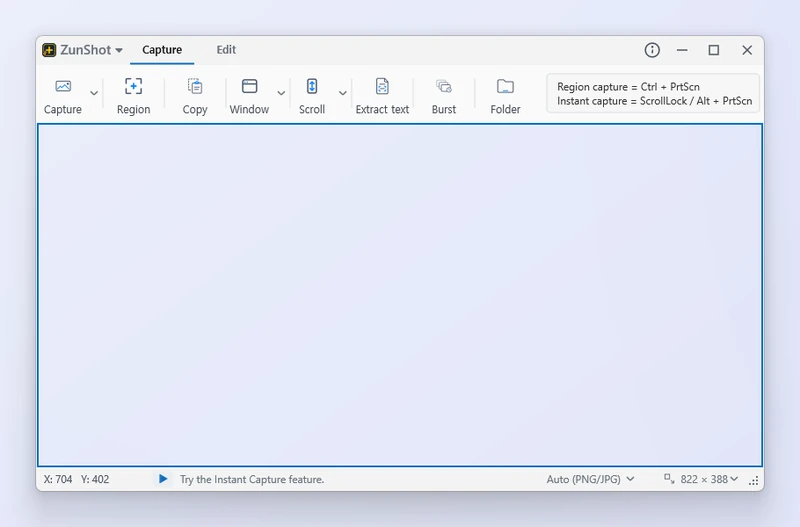
Capture mode
The Capture tab keeps a resizable capture frame on screen. Choose Region, Window, Full screen, Scroll, Web or Burst from the ribbon and press Capture. Use it when you need several screenshots with the same size and position.
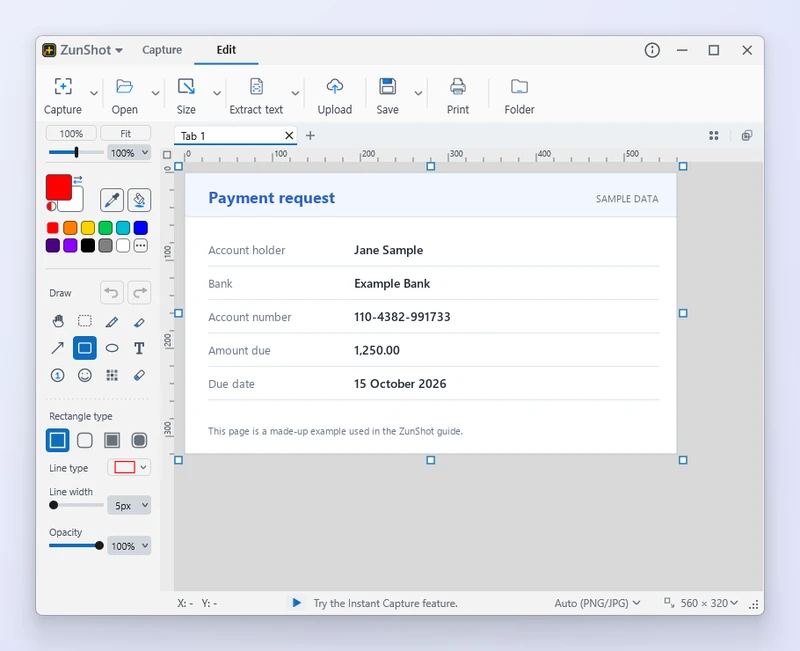
Edit mode
The Edit tab opens captures and image files as tabs. Crop, draw, blur, extract text with OCR, print, upload or pin a capture to the screen. Use it when a screenshot needs an explanation before you share it.
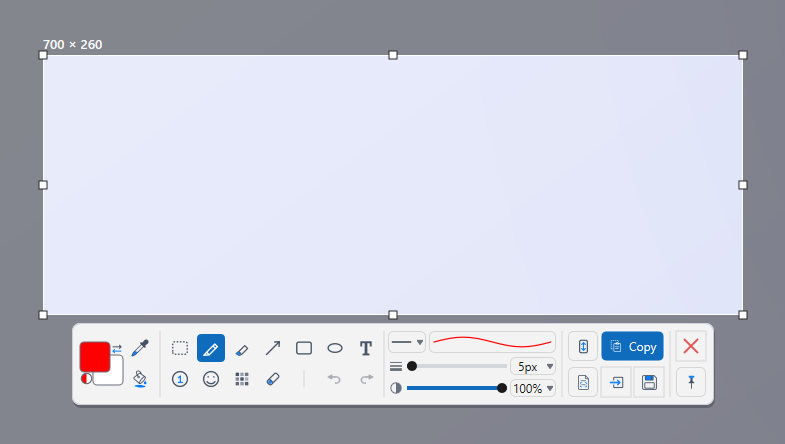
Instant Capture
Press Scroll Lock or Alt+PrtScn at any time. The screen freezes, you drag the area you need, and a compact toolbar lets you annotate, copy, save or send the capture to the editor without opening the main window.
Tips
- ZunShot can start in Capture mode, Editor mode or tray mode. Change this under Settings > General > Mode on startup.
- The tray icon keeps the hotkeys active even when the main window is closed.
Frequently asked questions
Which mode should I use for a quick screenshot?
Instant Capture. Press Scroll Lock, drag the area, then copy or save from the toolbar.
Can I capture without opening the editor every time?
Yes. Under Settings > General > After capture, choose Stay in capture mode.
System requirements
| Minimum Requirements | Recommended Specifications | |
|---|---|---|
| OS | Windows 10 (64-bit), build 10240 or later 32-bit Windows is not supported |
Windows 11 or Windows 10 version 1809 or later (64-bit) |
| CPU | Any 64-bit (x64) processor | Dual-core processor or better |
| RAM | 2 GB or more of RAM | 4 GB or more of RAM (each open editor tab keeps a full-size image in memory) |
| Disk | 50 MB of free space (the installation itself is under 10 MB) | 1 GB or more of free space for saved captures |
| Graphics | DirectX 11 compatible graphics (integrated graphics is fine) | DirectX 11 compatible graphics with a current driver |
| Display | 1024x768 or higher, any DPI scaling | 1920x1080 or higher; multiple monitors supported |
| Optional | Microsoft Edge WebView2 Runtime for Web page capture (included with Windows 11) A Windows OCR language for Extract text |
Same |