Is ZunShot free? Can businesses use it for free?
Capturing is free with no watermark and no time limit. ZunShot Pro is an optional upgrade - a subscription or a one-time perpetual license - for people who edit screenshots every day.
What is free
- Region, window, full screen, scrolling, web page and burst capture
- Instant Capture with hotkeys, pin to screen, color picker
- Copy to the clipboard, save as PNG, JPG, WebP or PDF, print, upload to your cloud
- Extract text (OCR) from any image, on your PC
- Every editing tool. Images edited in the free version are saved with a small ZunShot watermark.
Free for companies, schools and government offices too
Companies, schools, government offices, nonprofits and other organizations can also use the ZunShot 2027 free version for work.
You only need ZunShot Pro, below, if you want to save edited images without a watermark.
What ZunShot Pro adds
- Edited images are saved and copied without the watermark.
- Your own logo or text watermark appears on its own, without the ZunShot mark next to it.
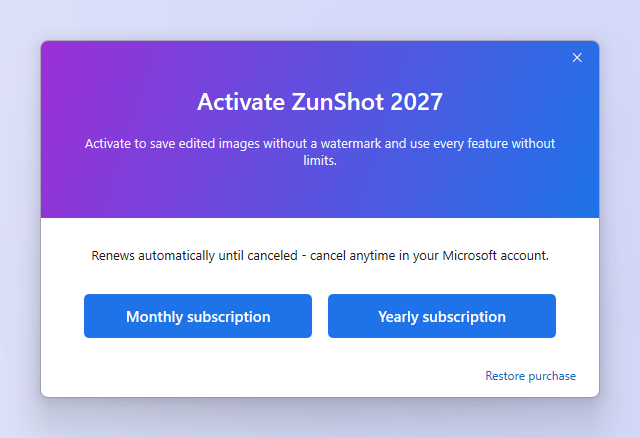
ZunShot Pro is sold through the Microsoft Store as a monthly or yearly subscription, or as a perpetual license you buy once. Open ⓘ in the title bar and choose Buy Now. Prices are shown in your Store currency.
Quick answers
- Is ZunShot free?
- Yes. Every capture feature is free, without a time limit and without a watermark on captures.
- Can businesses use ZunShot for free?
- Yes. Companies, schools, government offices, nonprofits and other organizations can also use the ZunShot 2027 free version for work.
- What does ZunShot Pro cost?
- Pro is a monthly or yearly subscription, or a one-time perpetual license, through the Microsoft Store. The price in your currency is shown in the app when you choose Buy Now.
- Does the free version expire?
- No. Capture stays free for as long as you use ZunShot.