I paid for ZunShot Pro but the app says I am on the free version
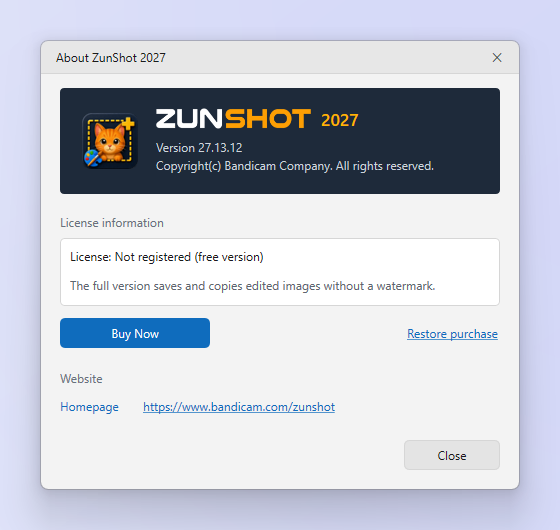
Pro follows your Microsoft account. On a new PC or after a reinstall, sign in with the same account and restore the purchase.
Steps
- Open the Microsoft Store app and make sure you are signed in with the account that bought ZunShot Pro.
- In ZunShot, open ⓘ in the title bar and choose Restore purchase.
- Still free? Sign out of the Store, sign in again, restart ZunShot and repeat.
Two PCs
Subscriptions follow the account, subject to the Store's device rules. Sign in with the same Microsoft account on the second PC and restore.
Setup-file version
The classic installer does not use the Microsoft Store.
Quick answers
- How do I restore ZunShot Pro on a new PC?
- Sign in to the Microsoft Store with the same account, then choose ⓘ > Restore purchase in ZunShot.
- Can I use ZunShot Pro on two computers?
- Yes, with the same Microsoft account, within the Store's device limits.