Scrolling capture stops early or looks wrong
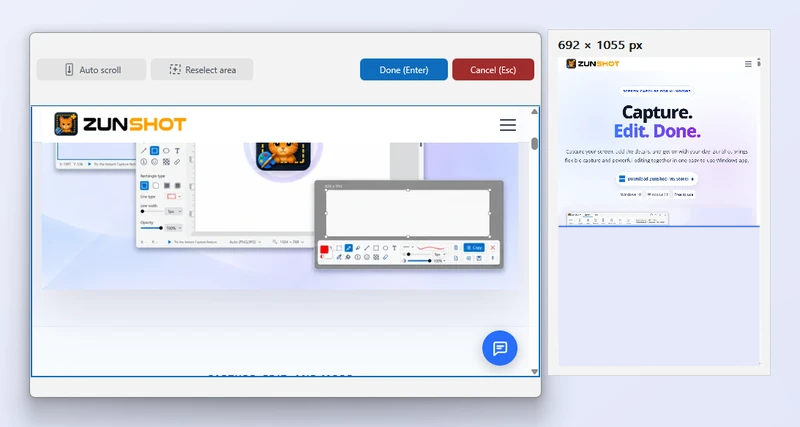
Scroll capture works by scrolling the target and stitching frames. Pages that move on their own, or that load content as you scroll, need a slower pace.
The first wheel turn does not scroll
Some browsers need the page to receive focus first. Click inside the page once, then scroll or start Auto scroll.
It stops before the end
The page loads more content on demand. Switch to manual scrolling, pause when a loading spinner appears, then continue. Click Done when the end is visible.
A band repeats or a strip is missing
Something on the page moved between frames, such as an animation or a carousel. Scroll more slowly, or pause the animation. Sticky headers and floating buttons are detected and removed automatically.
Only part of the width was captured
Use Reselect area and click inside the element that actually scrolls. Nested scroll areas, such as a chat list inside a page, must be selected directly.
A web page
For a web page, Web Page Capture renders the full document in the built-in browser and avoids stitching.
Quick answers
- Why does the scrolling capture stop?
- The page loads content as it scrolls. Use manual scrolling and pause when a spinner appears.
- Why is there a repeated band in the stitched image?
- Something on the page moved between frames. Scroll more slowly or pause animations.
Related FAQs
- [Black] My capture is black or empty
- [Hotkey] A hotkey does not work / no Scroll Lock / PrtScn opens Snipping Tool
- [Clipboard] Copy fails or the paste has a white background
- [OCR] Extract text returns wrong characters or nothing
- [Window] The ZunShot window disappeared
- [Update] How do I update ZunShot?
- [Uninstall] How do I uninstall ZunShot and remove its data?
- [Support] How do I contact ZunShot support?