My capture is black or empty
A black capture almost always means the source refused to be captured or the graphics device changed under ZunShot.
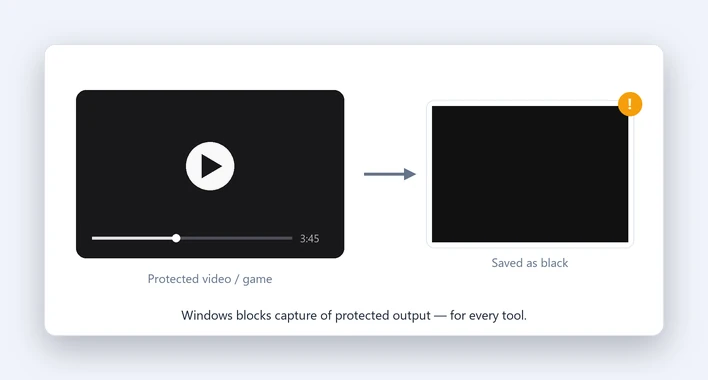
Case 1: A video player or streaming site
Netflix, Disney+ and some players use protected output. Windows blacks out protected areas for every capture tool. Nothing in ZunShot can bypass this. Pause the player and use the browser's picture-in-picture or a non-protected source.
Case 2: A full-screen game
Exclusive full-screen mode is not always capturable. Switch the game to borderless windowed mode, then use Instant Capture or window capture.
Case 3: After a display driver update or a new monitor
Exit ZunShot from the tray icon and start it again. The graphics device is re-created on start.
Case 4: Remote desktop or a virtual machine
Capture inside the remote session, not from the host, or the other way round. Both sides can capture their own desktop only.
Case 5: One monitor is black, the others are fine
Mixed DPI or a monitor that just woke up. Move the ZunShot window onto that monitor once, then capture again. If it persists, send us your monitor layout (Windows Settings > System > Display) with the support request.
Quick answers
- Why is my screenshot black?
- The source is protected content, an exclusive full-screen game, or the graphics device changed. Try windowed mode and restart ZunShot.
- Can ZunShot capture Netflix?
- No. Windows protects that output for every capture tool.
Related FAQs
- [Hotkey] A hotkey does not work / no Scroll Lock / PrtScn opens Snipping Tool
- [Clipboard] Copy fails or the paste has a white background
- [Scrolling] Scrolling capture stops early or looks misaligned
- [OCR] Extract text returns wrong characters or nothing
- [Window] The ZunShot window disappeared
- [Update] How do I update ZunShot?
- [Uninstall] How do I uninstall ZunShot and remove its data?
- [Support] How do I contact ZunShot support?