How to Activate or Deactivate Your Bandicam License
Activate your Bandicam license to use all features without limitations. Purchase a Bandicam license if you do not have one yet.
How to activate your Bandicam license
Step 1: Open the license activation page.
Run Bandicam and click the Lock icon, or go to About and click Activate. Then click Activate License.
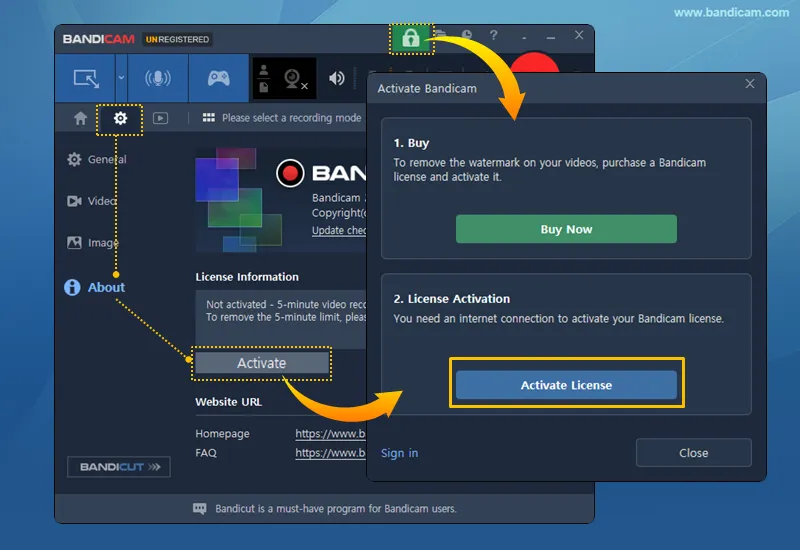
Step 2: Choose an activation option.
When the activation page opens in your browser, choose one of the following options.
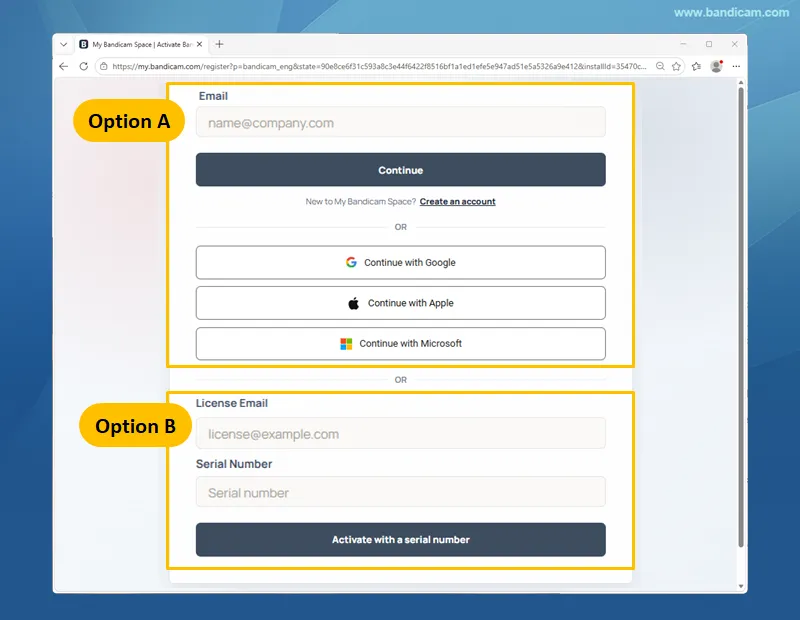
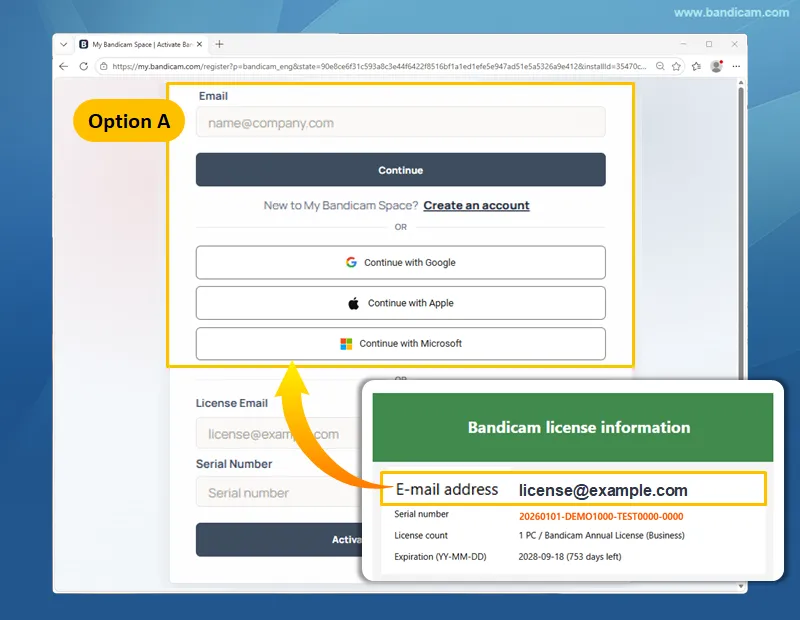
Option A: Activate by signing in
Purchasing a license does not automatically create a My Bandicam Space account. Create an account with your license email if needed, then sign in. » How to create an account
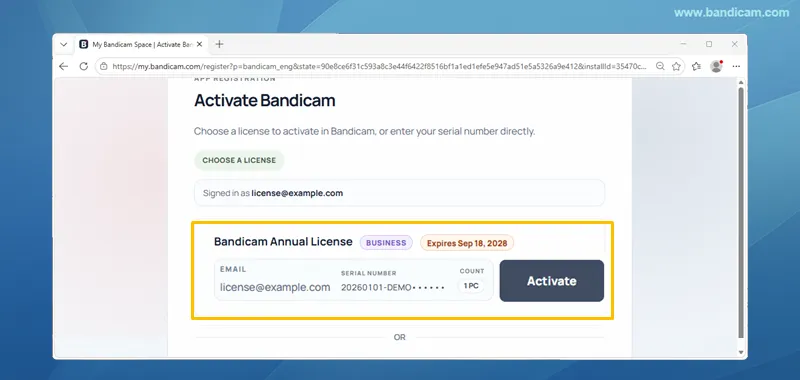
Select your license and click Activate.
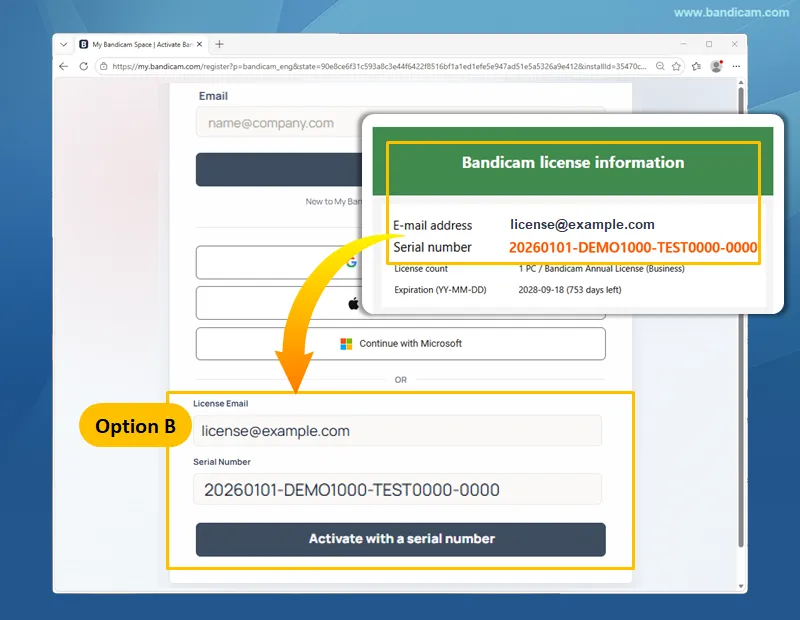
Option B: Activate with a serial number
Enter your license email and serial number, then click Activate with a serial number.
Step 3: Complete the activation.
Return to Bandicam and click Close. Your Bandicam license is now activated.
How to deactivate your Bandicam license
If you are switching computers, deactivate the license on your current computer first. You can deactivate it from the account menu or the About tab.
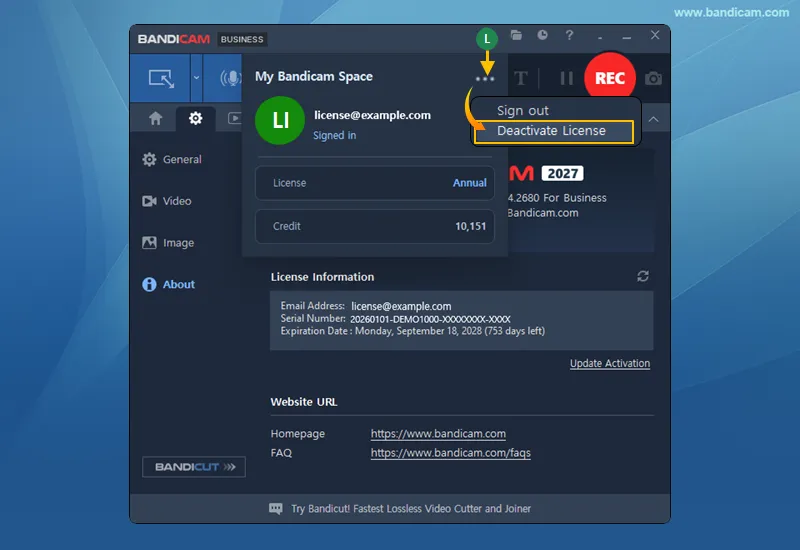
Deactivate from the account menu
Click the account icon at the top of Bandicam, then click ... and select Deactivate License.
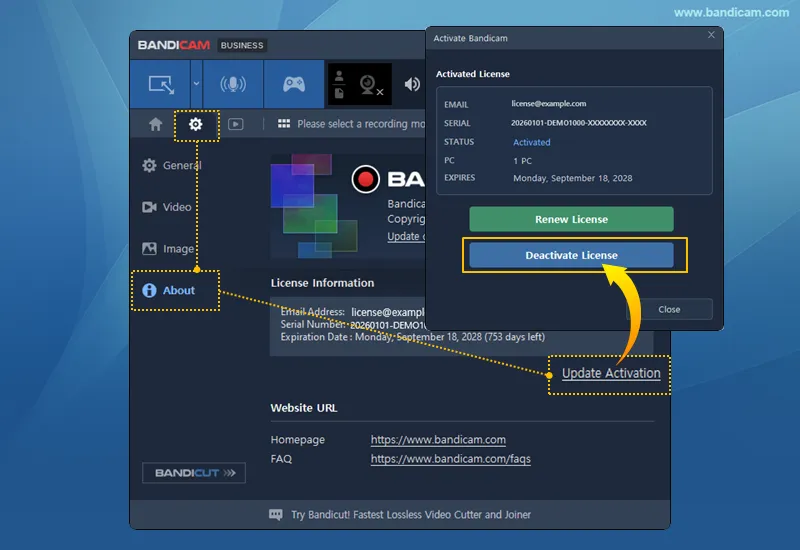
Deactivate from the About tab
Open the About tab, click Update Activation, and then click Deactivate License.
Frequently Asked Questions
1. How do I transfer my Bandicam license to another computer?
Deactivate the license on your old computer, then activate it on the new one.
2. Is signing out the same as deactivating my license?
No. Signing out only logs you out of My Bandicam Space and does not deactivate your license.
3. How do I create a My Bandicam Space account?
Create an account using your license email. » How to create an account