


Bandicam Quick Guide
What is Bandicam?
Easy to use. Powerful recording performance. Start with the essentials.
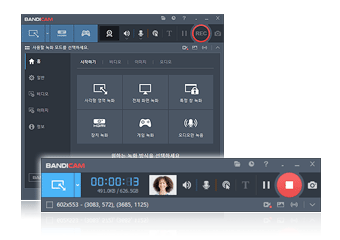
- Screen Recorder for Beginners (3-step quick start)
- What can you record with Bandicam? (Key features)
- Why choose Bandicam over other recorders?
- Is Bandicam Legit and Virus-Free?
- Bandicam Free Version (Features & Limitations)
- How to record without lag? (Optimized capture + hardware acceleration)
- Is Bandicam free to use?
- How long can I record?
- How to capture an image
- Hidden screen recorder (Privacy mode)
Editing & Upload
Trim, merge, fix editor issues, extract MP3, reduce file size, and transfer videos.
- How to cut and merge recorded videos (Bandicut integration)
- How to edit recorded videos (Bandicut integration)
- No audio / out-of-sync in Premiere Pro or VEGAS (Fix guide)
- Recommended codec settings for video editing
- How to extract MP3 audio from recorded videos
- How to reduce file size while recording (Compression tips)
- How to transfer recordings to iPhone/Android for playback
- How to send long videos on WhatsApp (iPhone) using Google Drive
File Management & Recovery
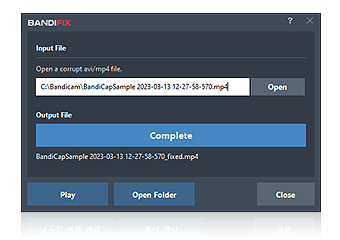
Recover broken files, repair corrupted videos, and manage save paths and naming.
Integration Tips (Real-world Workflows)
Practical workflows for office apps, meetings, drawing, and multi-monitor setups.
- Record a PowerPoint slideshow with voice narration
- Record Excel macro workflows (step-by-step)
- How to record Zoom meetings with sound
- Zoom meeting workflow: auto record → extract MP3 → create meeting notes with AI
- Record drawing in Paint/Photoshop like a time-lapse
- Record dual monitors as one wide video
Getting Started
Video (How to record)
Sound
Purchase & License