Tips for advanced users »
- Upload videos to YouTube
- Bandicut project file (*.bcpf)
- Capture image from video
- DVD to MP4
- Edit Bandicam videos

How to merge multiple videos: Video Joiner
If you want to join or merge more than 2 video files, please see the manual below:

* Bandicut Video Joiner (Video tutorial)
1. Download and install Bandicut Video Joiner.
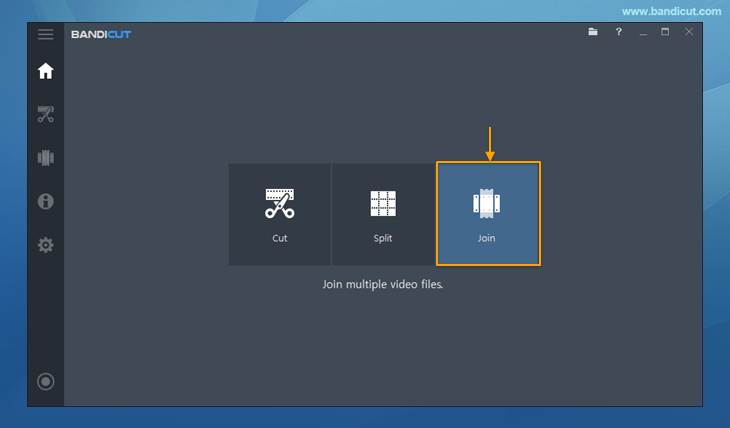
2. Start Bandicut and click the 'Join' button.
3. Select multiple video files you want to join, and click the 'Open' button.

4. Check/Change the video sequence, and click the 'Start' button.
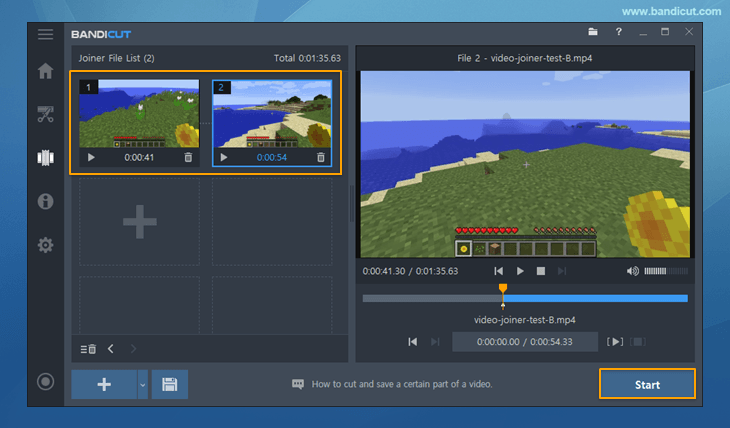
5. Click the 'Start' button to initiate the video joining.

- You can use High-Speed mode for Joiner, only when all formats are exactly the same.
- To cut and join videos, use the Cut mode.
- Learn more on the "High-Speed mode vs. Encoding mode" page.
6. Click the 'Open' button to check the clipped video.

- Click the 'Upload' button to upload videos to YouTube/Google Drive/Vimeo
- Click the 'Play' button to playback the videos with the default media player


