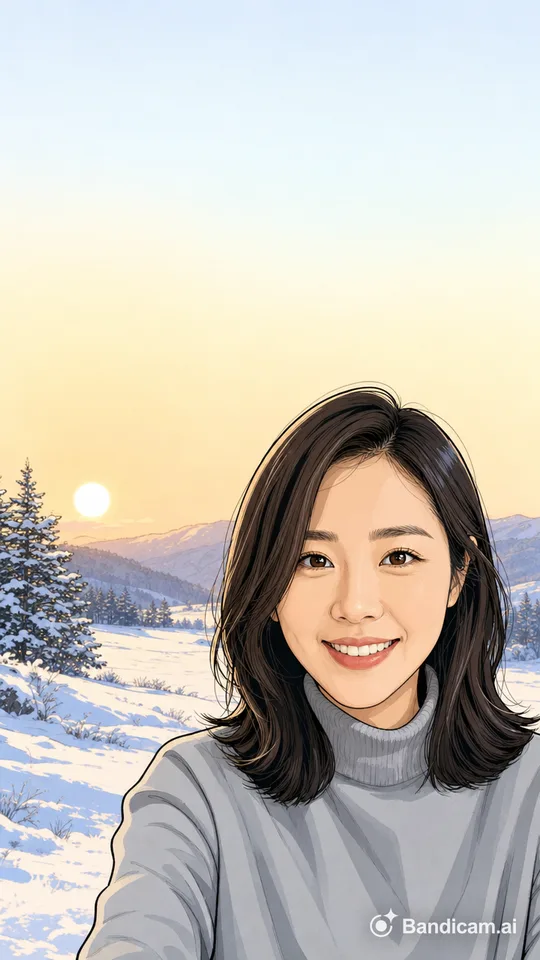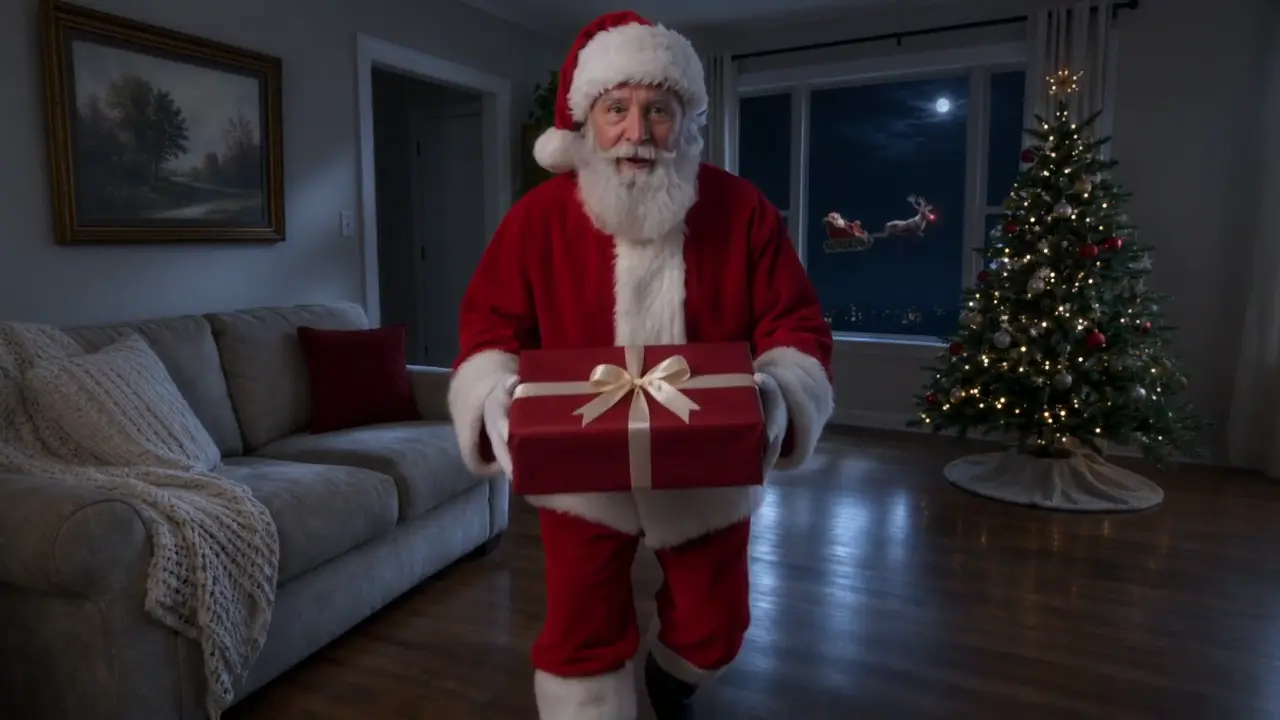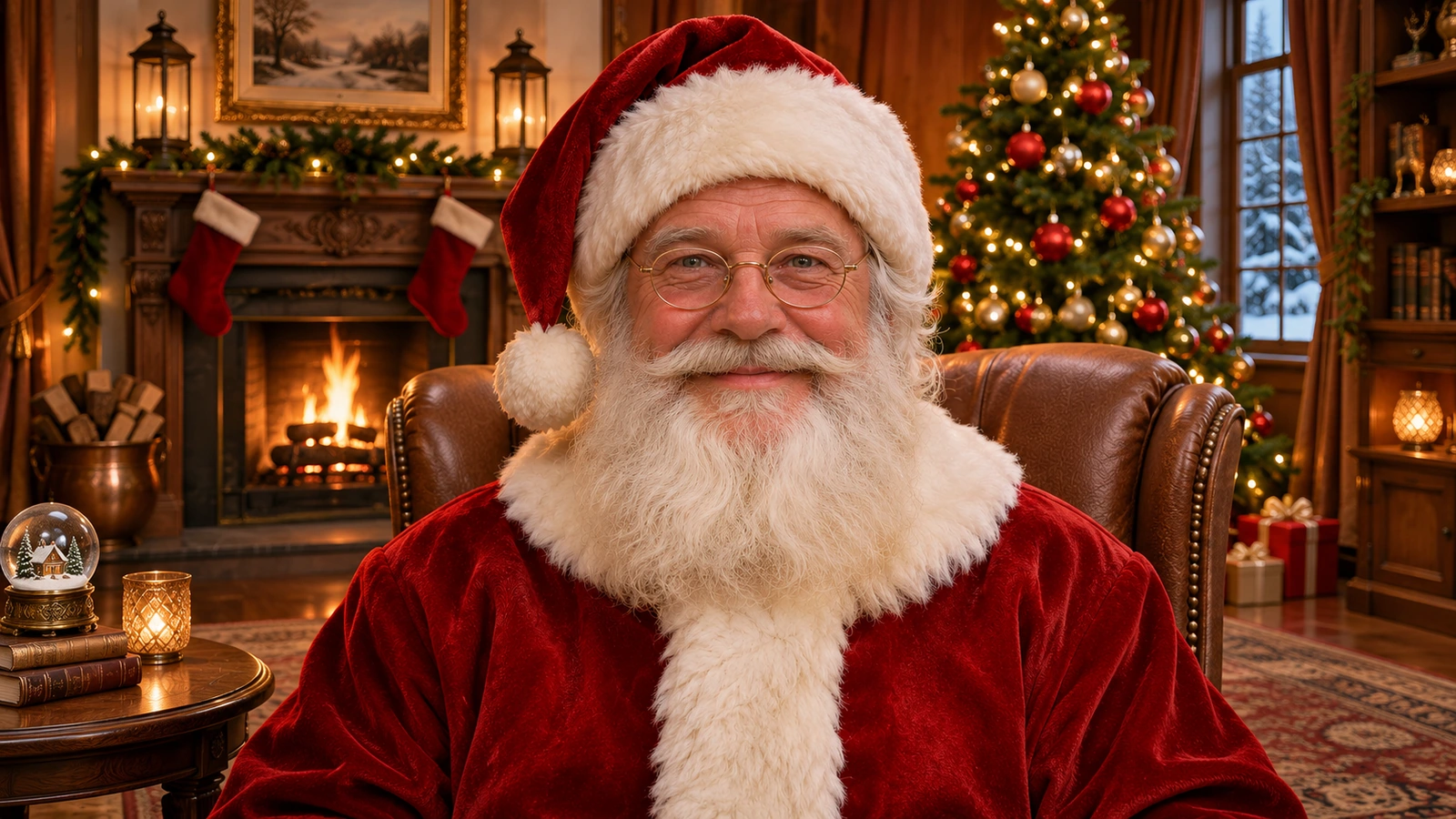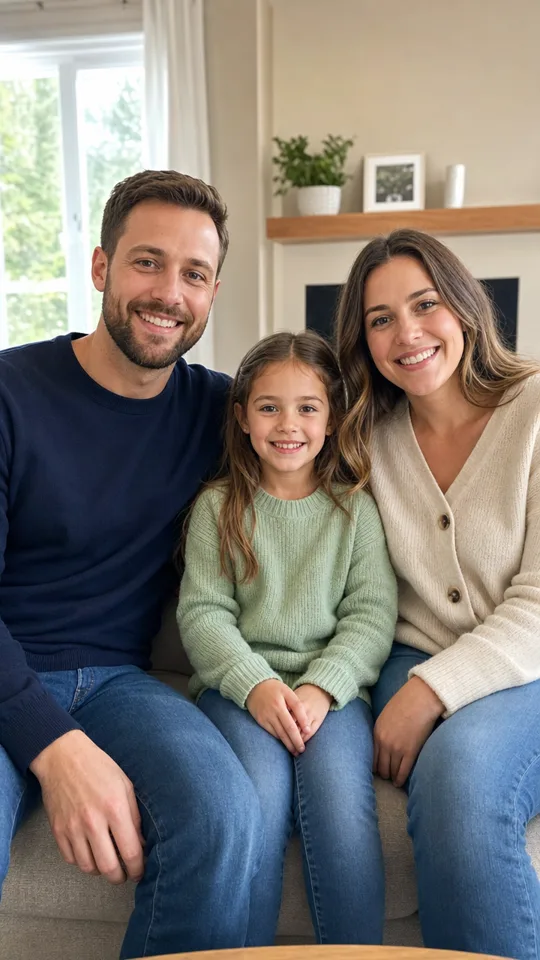
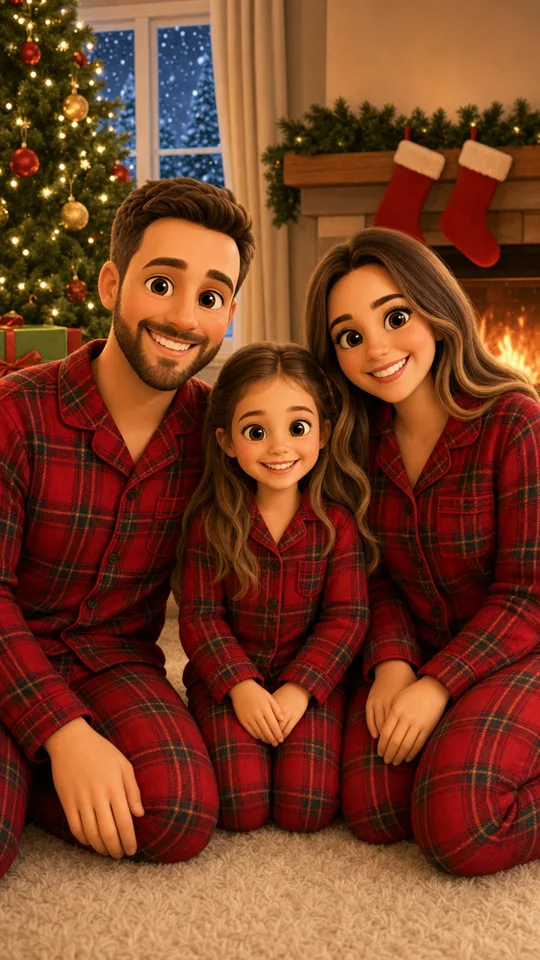
Featured video · A Christmas hello for Grandma and Grandpa from the whole family

Animated Christmas Card from Your Photo Turn a family photo into a talking holiday card with AI

Far from Grandma and Grandpa this Christmas, or want to thank your team before the break? Make a personalized holiday card from your own photo: a 3D or cartoon character that waves and says your greeting out loud. Then send the vertical video by text or email. Here are three examples with every prompt we used, plus holiday and New Year wishes you can copy.

Featured video model
Wan 3.0
Aspect ratio
9:16
Length
10 sec
Resolution
480p
Credits
135
Prompts
3

The people in these examples are fictional and were made with AI. GPT Image 2 image editing turned the example photos into character pictures, and Wan 3.0 made each video and its English AI voice together from the line and voice description in the prompt. We finished the card that opens in a video editor. For New Year videos that don't need a photo, like fireworks and a countdown, see the New Year video prompts page.

How to write a talking holiday card prompt

The first four parts go into the character picture prompt and the last two into the video prompt. Each example is taken from the prompts on this page.

  1. Features to keep

    Name only what should carry over from the photo and let the art style shape the face. If you write “keep the exact face”, the picture tends to look like a photo again.

    Carry over the recognizable hairstyle and hair color, smile, skin tone and apparent age
  2. Art style

    Name the style and ask for the face, hands and room to be drawn in that same style.

    Stylized 3D animated characters with rounded facial shapes, expressive simplified eyes and smooth matte skin
  3. Face size

    For one person, frame from the chest up with the face about 40 percent of the frame width so the mouth is easy to read. For a family, seat everyone close together so all faces stay large.

    From the chest up, centered, the face taking up roughly 40 percent of the frame width
  4. Scene without text

    Keep decorations simple: ask for plain gift wrap and plain stockings without names, and leave out signs, banners and gift tags so nothing in the scene carries lettering.

    Plain red stockings with plain white cuffs; the mantel has only a plain green garland, with no banners or letter decorations
  5. One small gesture

    Ask for one simple move, such as a wave, and have it finish in the first second and a half.

    One small, friendly open-palm wave beside her shoulder, below her chin and clear of her face
  6. Line and voice

    Put the line in quotation marks and add who says it, the voice (gender and age), the accent and when it should finish.

    “Merry Christmas and Happy New Year!” in natural, clear American English, a bright woman's voice in her thirties, finishing by about five seconds
  • Keep the line short for 10 seconds

    One speaker can say one or two short sentences: our team lead said a 16-word line from about 1.9 to 7.8 seconds. With two speakers, give each person a start and finish time, say that only the speaker's lips move, and add “Only the girl says this second line”. In our family example the mother and daughter spoke in turn, about one second apart. Listen to the whole clip before you send it.

  • Write the accent

    We wrote “in natural, clear American English” in every line. If you want a British, Australian or other accent, write that instead, and listen to the whole video before you send it.

  • Add a written message in editing

    AI video can garble lettering, so the talking examples have no text on screen. For an exact written greeting, use the card that opens: start with a blank inside page, check the words on a still picture, then add that picture in your video editor.

  • Keep the art style

    Add one sentence such as “Every frame stays a stylized 3D animated picture…; the faces never become photographic” so the face doesn't drift back toward a photo while the character talks.

  • Ask for a cartoon by its features

    Our first 2D prompt (“a clean, modern 2D cartoon illustration”) came back as a painted portrait that looked almost like a photo. For the second try we asked for thick, even outlines, large simple eyes, a nose drawn with one line and hair drawn as a few solid shapes, and the picture came out as a flat cartoon.

  • Glasses only if you wear them

    The example prompts ask for faces without glasses (“no glasses appear at any moment” in the video), because a shared “keep the glasses” sentence once added glasses to someone who didn't wear them. If someone in your photo wears glasses, update both prompts: describe the frame shape and color in the picture prompt, for example “thin black rectangular glasses, the same as in the photo”, and ask the video to keep the same glasses.

What photo to use

The character picture is made from the photo you upload. A clear photo of the face makes a character that looks more like you.

  • Bright and facing the camera

    Pick a photo where the face is bright, clear and turned toward the camera.

  • A large face

    For one person, use a chest-up photo where the face is large. If the face is small, crop the photo before you upload it.

  • Every face visible in a family photo

    Choose a group photo where you can see every face. Our family example starts from a photo of three people sitting side by side on a sofa.

  • Name the features you want

    Write features to keep, such as bangs or a beard, in the character picture prompt. To keep glasses, describe the frame shape and color in both the picture and the video prompts.

  • Photos to avoid

    Avoid sunglasses or masks over the face, side views, blurry or dark photos, and photos where faces overlap.

  • Before you upload

    Ask everyone in the photo first, and tell them where you'll upload it, that it will become a talking character video and who will see it. Cover or crop name tags, ID badges and addresses.

AI holiday card video prompts: 3 examples

Click a thumbnail to play the finished video, with the sound on. The two talking cards show ① the example photo, ② the character picture and ③ the prompts we used. The last example is a card that opens and shows an exact printed message instead of a voice.

A Christmas hello for Grandma and Grandpa from the whole family · ① Example photo (AI-generated)
① Example photo (AI-generated)
A Christmas hello for Grandma and Grandpa from the whole family · ② Character picture
② Character picture

01 · 3D · wave + mother and daughter speak · 10 sec Christmas to New Year

A Christmas hello for Grandma and Grandpa from the whole family

You need: one photo where every family member's face is clear

We turned a photo of a couple and their six-year-old daughter into 3D characters in matching tartan pajamas, kneeling close together on a rug by the Christmas tree. Getting everyone down low and close keeps all three faces large, which matters at 480p when you want to see who is talking. The family waves first. Then the mother says “Merry Christmas and Happy New Year!”, and the girl says “We love you, Grandma and Grandpa!” To keep the two voices apart, the prompt gives each speaker a time, says that only the speaker's lips move and that only the girl says the second line. In the finished video the mother spoke from about 2.6 to 5.1 seconds and the girl from about 6.1 to 8.3 seconds. The presents, stockings and mantel are described as plain, and we saw no lettering in any frame.

② Make the character picture: upload your photo and use this prompt

Prompt · 2186 characters
Use the family photo as a character reference. Carry over their recognizable hairstyles and hair colors, smiles, skin tones and relative ages; keep the daughter between her parents and clearly about six years old; nobody wears glasses. Let the illustration style shape the facial proportions. Render stylized 3D animated characters, like a modern family animated film: rounded facial shapes, expressive simplified eyes, smooth matte skin and softly sculpted hair, with no realistic skin texture; clearly animated-film proportions: slightly larger heads and eyes, small simple noses and soft rounded cheeks; render the faces, hands, clothes and the room in the same 3D style. All three now wear matching red tartan plaid holiday pajamas with no print or lettering. Full-bleed vertical 9:16 frame. Scene: a cozy living room on Christmas morning: a decorated Christmas tree with warm white lights and plain round red and gold ball ornaments stands behind them on screen left, a few presents sit under the tree, and a softly glowing fireplace is on screen right; light snow falls beyond a clear window in the background. The three sit close together on a soft rug in front of the tree, facing the viewer: the father on screen left, the daughter kneeling upright in the center so her face is only a little lower than her parents' faces, and the mother on screen right, with narrow visible gaps between their arms and each person's hands resting in their own lap. Show them from head to hips across the full frame width with slim margins beside the parents; their faces are large and clear, in the upper half of the frame, with a little room above the father's hair. The camera is straight on and level with their faces; only the family is in the room. The presents have plain solid-color matte wrapping and plain ribbons, with nothing attached; the stockings are plain red with plain white cuffs; the mantel has only a plain green garland, with no banners or letter decorations. No text, letters, numbers or logos anywhere, including on the ornaments, stockings, presents, mantel, walls, window and pajamas. Ignore the small watermark in the corner of the reference photo and do not copy it.
① Prompt for the example photo (not needed when you use your own photo)

A natural smartphone family snapshot of a fictional young American family of three sitting close together on a sofa in a bright living room: the father on the left, their six-year-old daughter in the center and the mother on the right, with a small visible gap between each pair of shoulders. The parents are in their early 30s. The father wears a plain navy sweater, the mother a plain cream cardigan, the girl a plain light green sweater. All three smile at the camera with their faces and hair clearly visible. Framed from head to hips at face height, soft daylight. Nobody wears glasses. Photorealistic. Invent the faces and setting: no resemblance to any real or famous person, unbranded clothes, no logos, no text.

Model
GPT Image 2
Aspect ratio
9:16
Resolution
720x1280
Credits
39

③ Make the talking video: upload your character picture as the first frame, then change the speakers, the words in quotation marks, the voice description (gender and age) and the timing to fit your card

Prompt · 2471 characters
Use the image as the first frame of one continuous 10-second vertical shot. Lock the camera, framing, exposure and color throughout; no cuts, no zoom. Keep all three people in their original positions; no other people appear. In the first second and a half, all three give one small wave at the camera: each parent raises the hand on the outer side of the group, away from the daughter, and the girl gives a small wave in front of her chest; every hand stays below the chin and clear of all faces, each person keeps their hand within their own space, and then all three rest their hands back in their laps. At about two and a half seconds, the mother on screen right looks into the camera and says once, warmly, in natural, clear American English, in a bright, friendly woman's voice in her thirties, finishing by about five seconds: "Merry Christmas and Happy New Year!" While she speaks, only she moves her lips; the girl and the father keep their lips closed and smile. She then closes her lips, and all mouths stay closed for a brief silent beat. At about five and a half seconds, the girl in the center says once, in natural, clear American English, in her own high, bright voice of a six-year-old girl, clearly a small child's voice and clearly different from her mother's, finishing by about eight and a half seconds: "We love you, Grandma and Grandpa!" Only the girl says this second line; the mother does not say it. While the girl speaks, only she moves her lips; both parents keep their lips closed and smile. The quoted lines are the entire spoken script, with no ad-libs or extra words; one speaker at a time, never overlapping. The tree lights twinkle softly and the snow keeps falling outside the window. After the girl finishes, all three hold warm, closed-mouth smiles until the shot ends. Keep the same faces, hairstyles, pajamas and room as in the first frame; no glasses appear at any moment. Every frame stays a stylized 3D animated picture with the same rounded shapes, simplified eyes and smooth matte skin; the faces never become photographic or gain realistic skin texture. No captions, subtitles, added lettering or logos. Sound: clear, close voices louder than the music, a quiet crackle from the fireplace; under the voices, only a few soft piano chords with faint warm strings at very low volume, original and without any recognizable melody, with a few faint sleigh-bell touches only in the pauses between lines; no singing, no extra voices.
Model
Wan 3.0
Aspect ratio
9:16
Length
10 sec
Resolution
480p
Sound
On
Credits
96
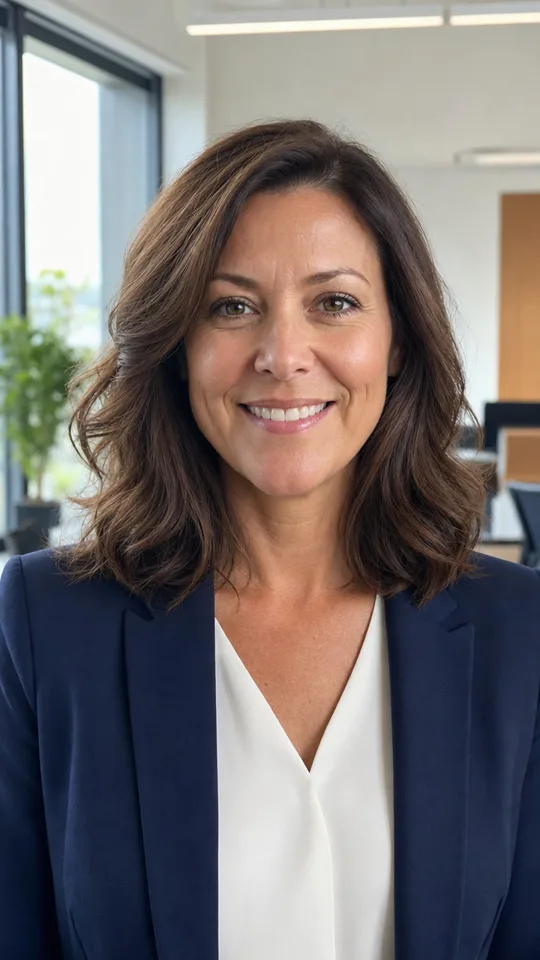
A business holiday card to thank your team · ① Example photo (AI-generated)
① Example photo (AI-generated)
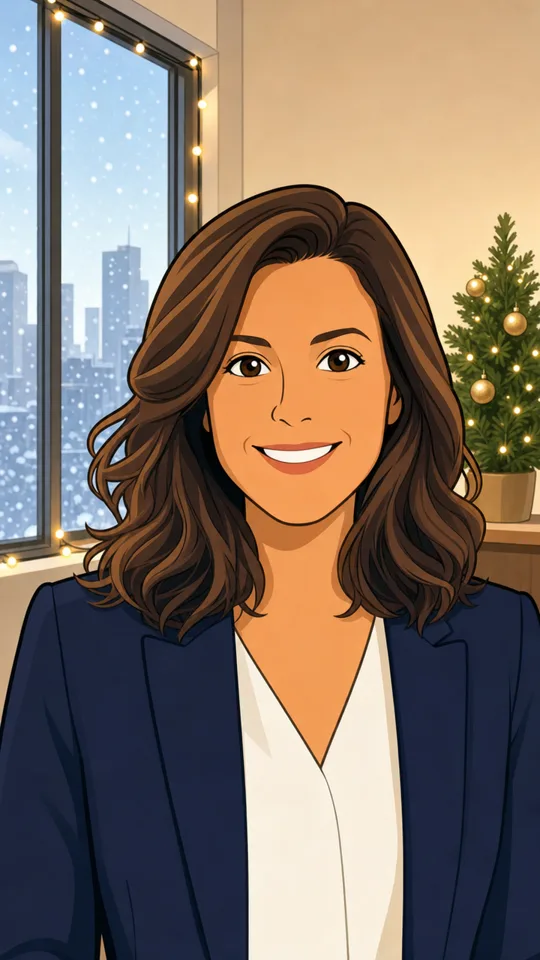
A business holiday card to thank your team · ② Character picture
② Character picture

02 · 2D cartoon · wave + one speaker · 10 sec Before the holiday break

A business holiday card to thank your team

You need: one photo where your face is clear

A short holiday message to employees that a manager can send before the break. It says “Happy holidays” rather than “Merry Christmas”, a common choice at work. Our first cartoon picture came back as a painted portrait that looked almost like a photo; on the second try, thick even outlines, large simple eyes and a nose drawn with one line gave a clear 2D cartoon. The office has only a small tree and string lights, with no screens, signs or whiteboards that could pick up stray text. She waves once, then says the line from about 1.9 to 7.8 seconds with a short pause after the first sentence.

② Make the character picture: upload your photo and use this prompt

Prompt · 1697 characters
Use the uploaded photo as a character reference. Carry over the person's recognizable hairstyle and hair color, smile, skin tone and apparent age. Let the illustration style shape the facial proportions. Keep the person without glasses. Draw her as a flat 2D cartoon character, clearly a cartoon and not a painted portrait: thick, even dark outlines, simple shapes, large simple cartoon eyes with solid dark pupils and a small highlight, a small simple nose drawn with one line, a simple smiling mouth, no eyelashes detail, no skin texture, no realistic shading or wrinkles, hair drawn as a few solid wavy shapes with two tones, flat colors with one soft cel-shade tone, and a simple, softly painted background; draw the face, hair, hands, clothes and the room in this same flat cartoon style. Full-bleed vertical 9:16 picture. Frame the person from the chest up at eye level, centered and facing the viewer, with the face taking up roughly 40 percent of the frame width; both eyes and the entire mouth are clear, with a little room above the hair. She wears the same plain navy blazer and white top. Scene: a bright modern office in December. A small evergreen with warm white lights and plain gold ball ornaments is the only item on a shelf behind her shoulder. Warm string lights frame a clear window with light snow and a distant skyline of plain building silhouettes. No computer monitors, signs, posters, whiteboards, badges, books or calendars in view. No text, letters, numbers or logos anywhere, including on the tree and its ornaments, the window, walls, shelves, the buildings outside and her clothing. Ignore the small watermark in the corner of the reference photo and do not copy it.
① Prompt for the example photo (not needed when you use your own photo)

A natural smartphone portrait of a fictional American woman in her mid-40s, a friendly team manager, with shoulder-length wavy brown hair, wearing a plain navy blazer over a plain white top, warm confident smile, standing in a bright modern office with soft daylight, looking straight at the camera, framed from the chest up. Nobody wears glasses. Photorealistic. Invent the faces and setting: no resemblance to any real or famous person, unbranded clothes, no logos, no text.

Model
GPT Image 2
Aspect ratio
9:16
Resolution
720x1280
Credits
39

③ Make the talking video: upload your character picture as the first frame, then change the speakers, the words in quotation marks, the voice description (gender and age) and the timing to fit your card

Prompt · 1746 characters
Use the image as the first frame of one continuous 10-second vertical shot. Lock the camera, framing, exposure and color throughout; no cuts, no zoom. Keep the person in her original position; no other people appear. In the first second and a half, she gives one small, friendly open-palm wave beside her shoulder, below her chin and clear of her face, then lowers her hand out of the frame and looks straight into the camera. At about two and a half seconds, she says this line once, warmly, like a kind team manager, in natural, clear American English, in a calm, warm woman's voice in her forties, with a short natural pause after the first sentence, finishing by about eight and a half seconds: "Thank you all for an amazing year. Happy holidays, and see you in the new year!" The quoted line is the entire spoken script, with no ad-libs. She holds a relaxed smile and keeps eye contact; the lights on the tree and the window twinkle softly and the snow keeps falling outside. Hold the final closed-mouth smile until the shot ends. Keep the same face, hairstyle, clothing and office as in the first frame; no glasses appear at any moment. Every frame stays a 2D cartoon illustration with the same bold outlines, flat colors, soft cel shading and simplified drawn eyes and mouth; the face never becomes photographic or gains realistic skin texture. Keep the speaking face unobstructed. No captions, subtitles, added lettering or logos. Sound: one clear, close speaking voice above a quiet office room tone; under the voices, only a few soft piano chords with faint warm strings at very low volume, original and without any recognizable melody, with a few faint sleigh-bell touches only in the pauses between lines; no singing, no extra voices.
Model
Wan 3.0
Aspect ratio
9:16
Length
10 sec
Resolution
480p
Sound
On
Credits
96
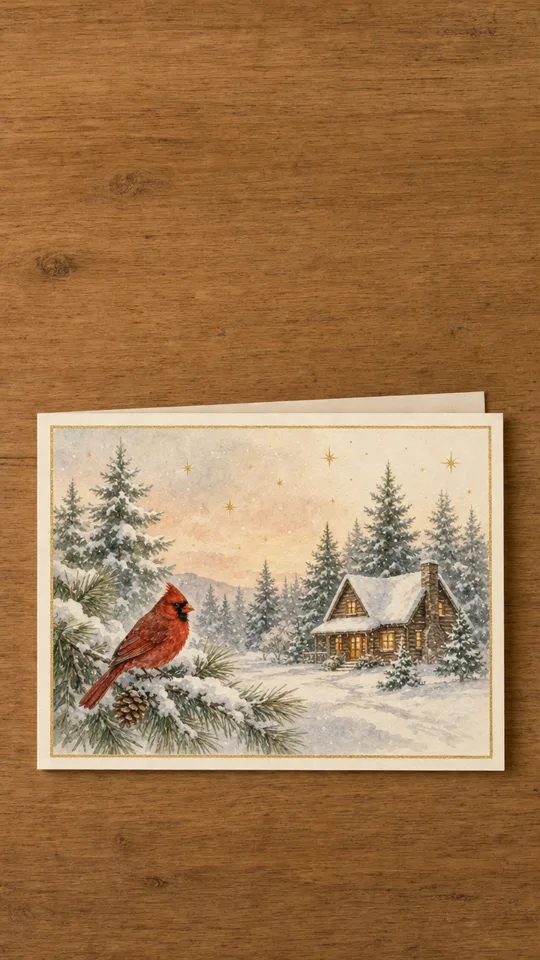
A card that opens: your printed message inside · ① Cover picture
① Cover picture
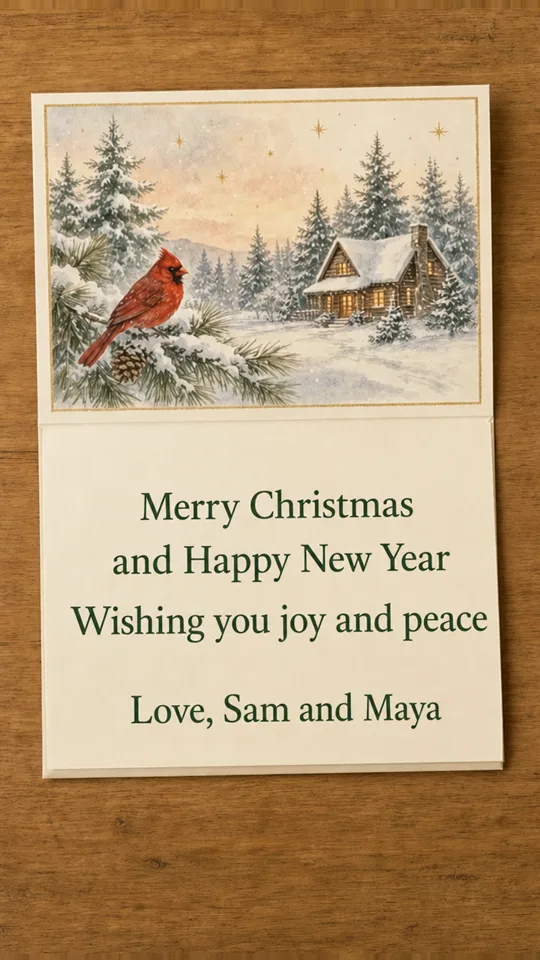
A card that opens: your printed message inside · ③ Message picture (made last)
③ Message picture (made last)

03 · Cover → opens → message page · 8 sec after editing Christmas to New Year

A card that opens: your printed message inside

You need: a message of about four lines + a video editor that can capture a frame, crossfade and zoom

For when you want people to read your words instead of hearing a voice. The words are printed only in a still picture, so the video model never has to draw a letter. Make it in this order: ① the cover picture and an end frame made from it, ② the opening video, ③ the message picture, then the edit. We gave Wan 3.0 the closed cover as the first frame and a blank open card as the last frame for a 6-second clip. The cover lifted smoothly and the lower page stayed blank. Wan kept the cover art on the upper page, which reads like a card with a picture above the message, so we kept it. We captured a frame at 5.5 seconds and printed the four lines on its lower page with GPT Image 2; all four lines, including the comma, came out right on the first try. In the editor the message fades in on the lower page at about 2.9 seconds, as the cover comes down flat. At 4.4 seconds the video crossfades to the message picture, which zooms in slowly to 1.06× over 3.6 seconds, for 8 seconds in all.

③ Make the message picture (after the ② video): capture a frame near the end where the card is fully open, upload it and change the lines in quotation marks to your own message

Prompt · 1218 characters
Keep this image exactly as it is: the same open greeting card on the same wooden table, seen from directly above, with the card's size, position, edges, fold line, the upper page exactly as it appears, the table's wood grain and the light all unchanged. Change only the lower page of the card: remove any illustration on the lower page so it becomes plain cream paper of exactly the same size and position, and print a message on it: "Merry Christmas" / "and Happy New Year" / "Wishing you joy and peace" / "Love, Sam and Maya". Print the four lines on the lower page only, in that order, one line per row, centered with wide margins, in a large, clear, medium-weight upright classic serif typeface with sturdy strokes (not italic, not script) in deep green ink, with generous line spacing and one extra blank line before the last line; size the longest line so it fits without wrapping. Print only these words themselves, with the same capitalization and a clearly visible comma after Love, without quotation marks, slashes or line numbers, nothing added or omitted. Keep the text well inside the lower page with a clear margin on every side. No other text or decoration anywhere, and do not copy the small watermark.
① Start here: prompts for the cover picture and the blank end frame made from it (open to copy)

A top-down illustration of a closed holiday greeting card lying flat on a plain warm wooden table, seen from directly above with a fixed camera, in a vertical 9:16 frame. The card is one sheet of cream cardstock folded along its top edge. The closed card is horizontal, about 3:2, and centered left to right; its top fold sits at the vertical middle of the frame, it lies in the lower half of the frame and spans about nine tenths of the frame width, and the upper half of the frame is clear tabletop so the cover can open fully into it. The front cover is a warm hand-painted watercolor winter scene on cream paper, in deep red, pine green, soft gold and snowy white: a small snow-covered cabin with glowing yellow windows among snowy pine trees, a red cardinal perched on a snowy pine branch in the foreground corner, a few soft gold stars in a pale evening sky, and a thin gold line bordering the card. Soft, even natural light; no other objects on the table. No text, letters, numbers, stamps or logos anywhere. — End frame (upload the cover image and use image editing): Show this same greeting card on the same wooden table, seen from directly above with the same camera. The card has been opened upward along its top fold: the front cover has flipped up and now lies flat on the table above the card, showing its inside, which is plain cream paper. The lower page lies exactly where the closed card was, with the same size, position and paper, and is completely blank cream paper, including its edges. Do not repeat the cover design on the inside pages. Keep the table's wood grain, color and light exactly the same as in the image, and change only the card's open state. No text, letters, numbers or logos anywhere.

Model
GPT Image 2
Aspect ratio
9:16
Resolution
720x1280
Credits
39

② Make the opening video (after ①): set the cover as the first frame and the blank open card as the last frame, then use this prompt with Wan 3.0, 9:16, 6 seconds, 480p, sound on

Prompt · 834 characters
Use the first image as the first frame and the second image as the last frame. One fixed top-down vertical 6-second shot with no camera movement and no zoom: the front cover of the greeting card lifts at its bottom edge, swings smoothly up over its top fold like a page turning and lies flat on the table above by about four seconds, revealing the inside pages, and holds there. The single sheet opens into two equal panels joined at the original fold; the lower panel stays flat and fixed in place and stays plain, blank cream paper the whole time, and the watercolor art stays on the outer face of the moving cover. Keep the table, wood grain and light the same. No letters, text or logos appear anywhere. Sound: a soft paper rustle as the card opens and a gentle piano chord with a light sleigh-bell shimmer; no singing, no voices.
Model
Wan 3.0
Aspect ratio
9:16
Length
6 sec
Resolution
480p
Sound
On
Credits
58

Pick an art style

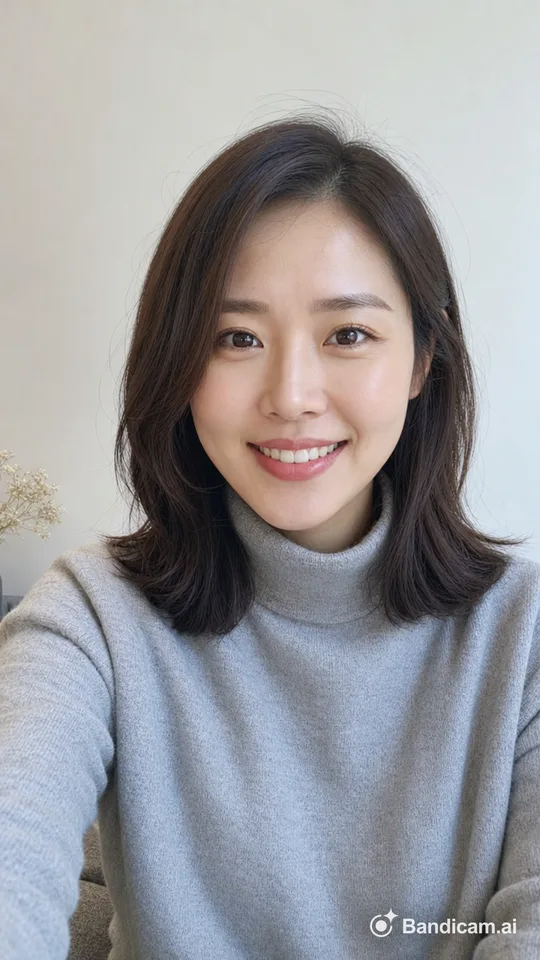
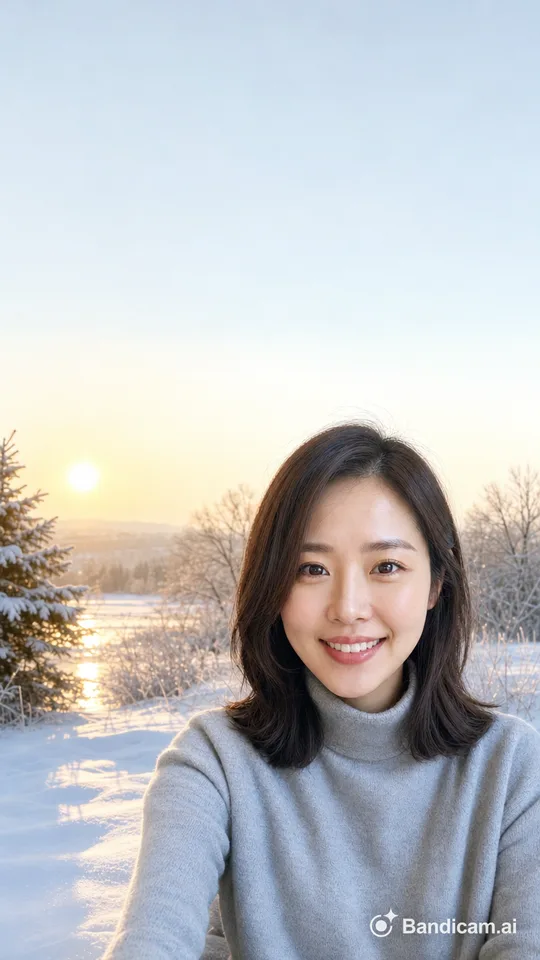
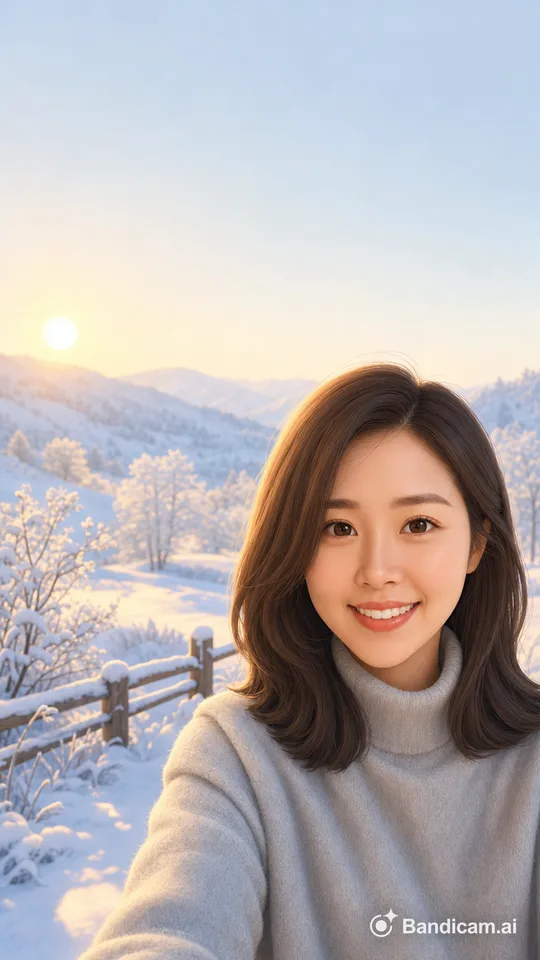
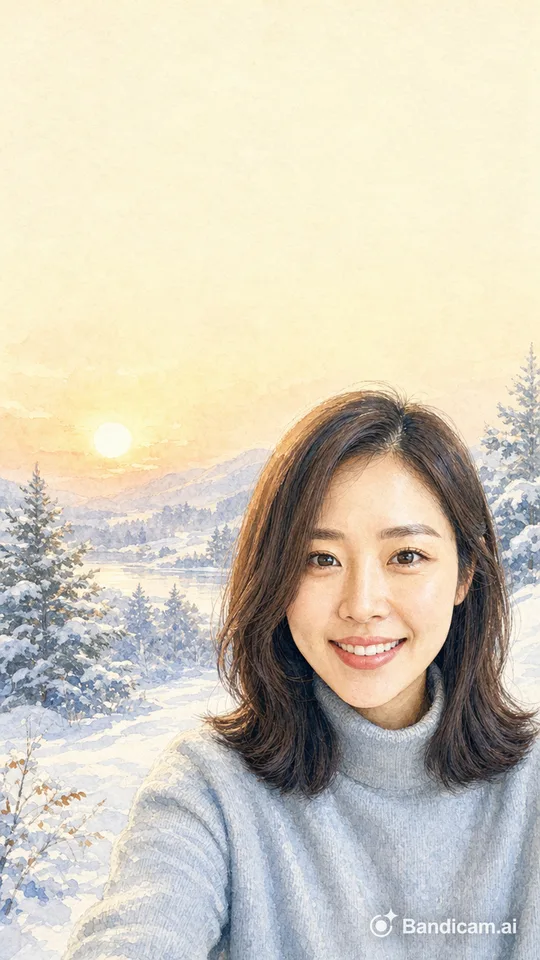
We made five styles from the same photo with an early prompt: photo, 3D character, watercolor, Korean webtoon and clay. That prompt also said to keep the exact face, so only the webtoon picture turned the face into a drawing; the 3D, watercolor and clay faces stayed close to the photo. The examples above carry over the hairstyle, smile and other features and let the style shape the face, so copy the prompts from those. The woman in these pictures is fictional and was made with AI.

AI-generated photo
AI-generated photo
Photo style
Photo style
3D character
3D character
Watercolor
Watercolor
Korean webtoon
Korean webtoon
Clay
Clay

Holiday wishes and New Year wishes for your video card

Short wishes for everyone on your list, to say in your video or to send with it. For a 10-second video, pick one or two short sentences. Replace the words in square brackets.

For Grandma and Grandpa

  • Merry Christmas, Grandma and Grandpa! We love you and miss you.

  • Happy holidays! We can't wait to see you in the new year.

For family far away

  • Merry Christmas from all of us! Wish we could be there with you.

  • Sending you a big Christmas hug from miles away. Love you all!

For friends

  • Merry Christmas, [name]! Thanks for always being there.

  • Happy holidays! Here's to more fun together in 2027.

For neighbors

  • Happy holidays from our house to yours!

  • Merry Christmas from all of us next door!

Holiday message to employees

  • Thank you for showing up for each other this year. Happy holidays, team!

  • I appreciate everything you did for our team this year. Wishing you a peaceful holiday season.

For coworkers

  • Happy holidays! It was great working with you this year.

  • Happy holidays, [name]! Thanks for making even the busy days better.

For your boss

  • Thanks for your support this year, [name]. Wishing you a happy holiday season.

  • Merry Christmas! Thanks for a great year, and enjoy the break.

Holiday message to clients

  • Thank you for your business this year. Wishing you a happy holiday season.

  • Happy holidays from all of us at [company]. We look forward to working with you in 2027.

New Year wishes

  • Happy New Year! Here's to good health and more time with the people you love.

  • Cheers to a fresh start! Happy New Year, [name].

Replace [name] and [company] with real names. The AI voice may pronounce names differently than you expect, so listen to the finished video before you send it.

Model and settings for each prompt

Length, resolution and sound in the table are the Wan 3.0 video settings. The card that opens was made as a 6-second 480p video and exported at 8 seconds and 720×1280 after editing. Each example shows the video credits next to its video prompt; the table adds the pictures you need for each card: 135 credits for a talking card from your own photo (character picture 39 + video 96) and 187 for the card that opens (cover 51 + end frame 39 + video 58 + text page 39). We spent 598 credits in all, including the two example photos (51 each) and one team picture we made again (39).

PromptModelAspect ratioLengthResolutionSoundCredits
01A Christmas hello for Grandma and Grandpa from the whole familyGPT Image 2 → Wan 3.09:1610 sec480pOn135
02A business holiday card to thank your teamGPT Image 2 → Wan 3.09:1610 sec480pOn135
03A card that opens: your printed message insideGPT Image 2 → Wan 3.09:166 sec480pOn187
Total457

How to make a talking holiday card

  1. Pick a photo

    Pick a well-lit photo where everyone faces the camera and you can see each face clearly. Get permission from everyone in the photo before you upload it.

  2. Make the character picture

    On a talking card example, click “Make the character picture from my photo”. The prompt is copied and Bandicam AI Studio opens image editing in a new tab. Upload your photo and paste the prompt. Change the number of people, where they sit or stand, and the features to keep so they match your photo. Make it with GPT Image 2, 9:16, 1K, high quality.

  3. Make the talking video

    Download your character picture, then click “Make the talking video from my character picture”. The video prompt is copied. Upload your picture as the first frame, and change who speaks, the words in quotation marks, the voice description (gender and age) and the timing to fit your card. Make it with Wan 3.0, 9:16, 10 seconds, 480p, sound on.

  4. Listen, then send

    Play it to the end with the sound on and check the faces and the words. Save the MP4 to your phone and send it by text, email or a messaging app.

AI holiday card video prompts: frequently asked questions

Can I make a talking Christmas card from my own photo?

Yes. Use your photo as the reference for a character picture in GPT Image 2 (“Make the character picture from my photo” on an example). Then use that picture as the first frame in Wan 3.0, with your greeting in quotation marks in the prompt. The face won't be exactly the same as in the photo, so check the likeness, the number of people and what each person says before you send it. Some models may not accept photos of real people.

How is the voice made?

The voice on this page is an AI voice that the video model (Wan 3.0) made together with the video, from the line in quotation marks and a description such as “a calm, warm woman's voice in her forties”. It is a new voice, not a copy of yours. If it doesn't fit, change the age or the way of speaking in the description and make it again.

What if the words come out wrong?

AI voices can misread names, numbers and long sentences. Shorten the line to one or two sentences and make it again. Always play the video to the end with the sound on before you send it.

Can I add music?

Yes. With sound on, describe the background music in the video prompt. Our examples ask for a few soft piano chords and strings under the voices, original and without a known carol melody. Listen to make sure the words are still easy to hear. To use a song you have permission to use, add it in a video editor afterward.

How long can the video be?

Wan 3.0 in Bandicam AI Studio makes clips from 2 to 30 seconds. Our talking cards are 10 seconds, which fits one or two short sentences. For a longer card, make several clips and join them in a video editor.

Can I put an exact written message on the card?

Yes, with the card that opens. Make the card opening with a blank inside page, capture a frame near the end, add your message to that still picture and check every line. Then add the picture in a video editor. In our example all four lines, including the comma, came out right on the first try. If a word comes out wrong, type the message in the editor instead.

Can I use someone else's photo?

Get permission from everyone in the photo before you upload it, and ask a parent or guardian for a child. Tell them who will get the card and that the character will speak with an AI-generated voice. Cover or crop name tags and addresses before you upload. Let the people who get the card know the voice was made with AI if they could mistake it for a real recording.

Can I add our company logo?

AI often changes the shape of a logo, so leave it out of the prompt. After the video is made, add your original logo file in a video editor. Use only a logo you have permission to use.

How many credits does it take?

When we made the examples in November 2026, a talking card from your own photo took 135 credits: 39 for the GPT Image 2 character picture (1K, high quality) and 96 for the 10-second 480p Wan 3.0 video with sound. You don't need the 51-credit example photo. The card that opens took 187 credits: cover 51, end frame 39, 6-second video 58 and text page 39. Check the credits shown in Bandicam AI Studio before you make one.

Can I make one for free?

Eligible new accounts get free one-time sign-up credits after verifying their email (100 in the US), which expire after 30 days. A talking card from your own photo took 135 credits in our examples, so the sign-up credits alone cover one of the two steps, not both. Check your balance and the cost shown before you generate.

How do I send it?

Save the MP4 to your phone and send it like a video ecard: attach it to a text, an email or a message in your messaging app. The examples are vertical 9:16 videos, so they fill the screen on a phone held upright.

New Year videos without a photo

No photo, or want one video to send to everyone? These New Year examples are made from a text prompt alone.

See all 10 New Year video prompts