How to Transcribe Audio to Text on Mac
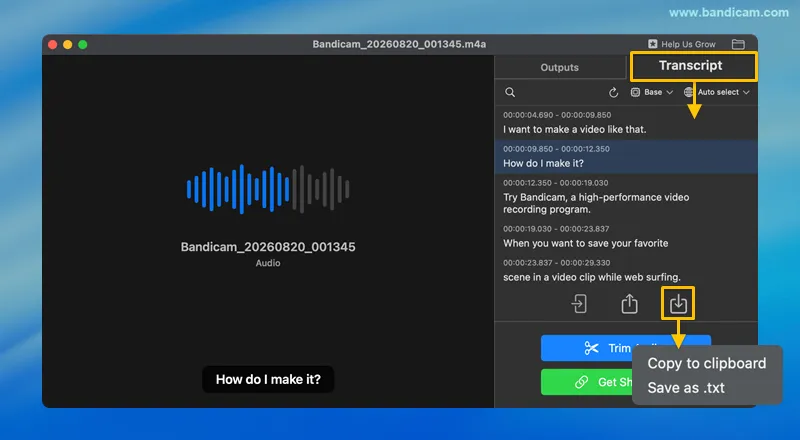
Bandicam allows you to transcribe audio to text on Mac using its built-in AI transcription feature. You can edit the transcript, copy it to your clipboard, or save it as a .txt file.
Steps to Transcribe Audio to Text
To convert recorded audio to text using Bandicam, follow these steps:
Step 1. Select Audio Recording mode, enable system audio or microphone input, and start recording.

Step 2. After the recording stops, the Output Audio List will appear automatically.
You can also open it by clicking the Output Audio List icon in the main window.

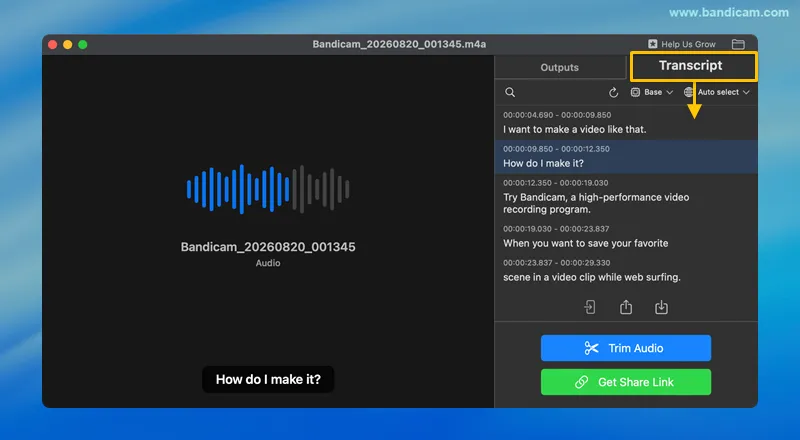
Step 3. Select the audio file and click on the Transcript tab.
Bandicam will automatically start generating the transcript.
Step 4. Review and edit the transcript.
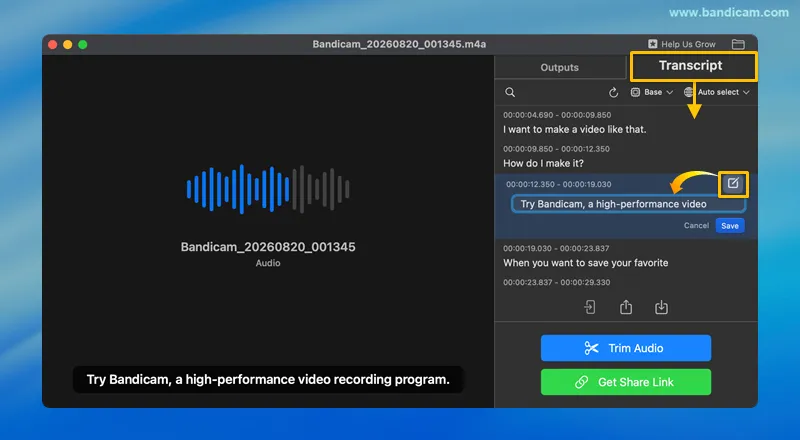
After the transcription is complete, review the transcript. Click the edit icon next to a transcript line to update the text, and then click Save to apply your changes.
Step 5. Save the transcript.
Click the download icon to access options such as Copy to clipboard and Save as .txt.