
While shooting a video, you may fail to notice its orientation and the final recording may be totally inverted. This is when you might need to rotate the video to achieve the desired orientation. There are plenty of tools available to rotate your videos. This blog will explore the top eight simple and easy-to-use video rotators that can quickly and effectively rotate, flip, and mirror your videos, ensuring seamless editing with just a few clicks. Let’s delve in!
List of the Top 8 Video Rotators
1. Bandicut Video Cutter & Joiner
Bandicut is a Windows video rotator and editor that allows you to easily cut specific parts of a video, merge multiple videos, and rotate, flip, or mirror videos. When recording a video with a camera or smartphone, if the orientation is incorrect, Bandicut allows you to quickly flip it left to right or rotate it by 90, 180, or 270 degrees.
Easy-to-use features
● Cut videos without the need to re-encode, with many file formats like AVI, MP4, MOV, M4V, MKV, and more
● Quickly clip a part of a video while maintaining the quality of the original video
● Supports hardware-accelerated H.264 video encoders
Supported Platforms: Windows
| Pros | Cons |
|
|
2. Clideo

Clideo is an online video rotator and editing platform that provides a variety of tools for editing audios, videos, and images directly from your browser. It allows you to trim, merge, convert videos, add text to videos, and more. Using Clideo, you can also turn videos right side up, flip, and mirror them with the click of one button, without the need for any special editing skills.
Key Features
- Rotate videos in all the popular formats, such as MP4, MOV, WMV, VOB, AVI, etc.
- Convert a file to any desired format right away
- Flip and mirror your videos online in one click
Supported Platforms: Android, iPhone, Windows, and Mac
| Pros | Cons |
|
|
3. Videobolt

Videobolt is an online video rotator and editing platform great for creating video ads, promotional videos, streaming screens, music visualizers, etc. It lets you merge videos, trim clips, crop scenes, resize footage, and effortlessly switch videos from portrait to landscape mode and vice versa. You can try the free plan before deciding to subscribe.
Key Features
- Adjust your video’s orientation online by switching between portrait and landscape modes
- Adjust the speed of your video, or create continuity with loops
- Trim clips, crop scenes, resize footage
Supported Platforms: Windows and Mac OS
| Pros | Cons |
|
|
4. EZGIF

EZGIF is a free online toolset and MP4 video rotator designed mainly for creating and editing animated GIFs. It can also perform conversions for various image formats and offers popular online tools, such as GIF maker, MP4 video to GIF converter, and image resizer. The image transformation tool and video rotator for PC allow you to flip, mirror, and rotate or spin your images and videos.
Key Features
- Rotate HEIC images clockwise and counter-clockwise
- Convert and rotate animated GIF, WebP, APNG, AVIF, and MNG files in other formats, including JPG, PNG, BMP, TIFF, and more
- Rotate SVG files
Supported Platforms: Windows and Mac OS
| Pros | Cons |
|
|
5. Video Candy

Video Candy is an intuitive, user-friendly, free online video rotator and editor that allows users to create incredible videos with just a few clicks. This simple platform enables users to quickly and easily create incredible videos. It offers a variety of online video editing tools, including options to reverse, rotate, loop, flip, merge, compress, and trim videos.
Key Features
- Turn video clips to the left or right, up to 360 degrees
- Flip video clips from left to right, from right to left, or upside-down
- Merge multiple videos into one and resize the video online
Supported Platforms: Windows, Android, and iOS
| Pros | Cons |
|
|
6. Adobe Express
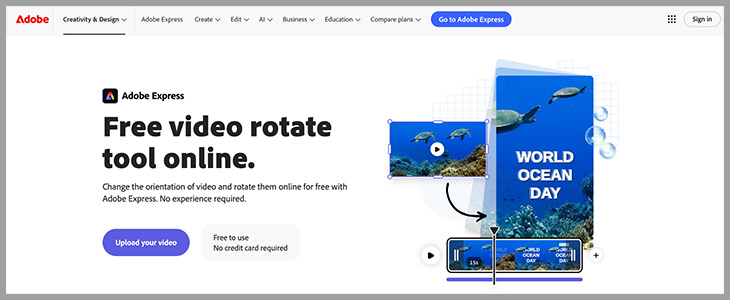
Adobe Express is a cloud-based content creation tool and design platform. It helps you create videos, PDF documents, web pages, graphics, and other digital assets. It also provides users with a free online video rotator to change the orientation of videos and rotate them online.
Key Features
- Collaborate and comment on files with your team
- Remove the background from images and videos quickly
- Generate customizable templates from simple text descriptions
Supported Platforms: Android and iOS
| Pros | Cons |
|
|
7. iMovie Video Rotator

Apple Inc. has developed a video editing program, iMovie. It is pre-installed on all new Macs, iPhones, and iPads and is free on the App Store. It includes diverse video effects and tools like color correction and image stabilization. Users can rotate a clip or photo before or after adding it to their movie.
Key Features
- Make movies with style
- Add video effects and background music
- Create Hollywood-style trailers
Supported Platforms: Mac computers and iOS only
| Pros | Cons |
|
|
8. VLC Media Player Video Rotator

VLC is a versatile, open-source, cross-platform multimedia player. It is a framework that supports most multimedia files and platforms. However, it has some basic video editing tools that enable you to change how your videos are displayed. For example, you can use VLC to rotate videos.
Key Features
- Stream media over local networks as well as on the internet
- Convert your media file formats without any additional plugins
- Create a wide range of audio and video effects
Supported Platforms: Supports all platforms, including Windows, Android, Linux, iMac iOS, and Unix
| Pros | Cons |
|
|
Summary
Video rotators that rotate, flip, and mirror videos are essential for fixing a wrongly oriented video. This article provides overviews of the top eight video rotating software, helping you rotate and flip videos effortlessly. You can now choose the software that best suits your needs.


