
Spotify remains the dominant music streaming platform in 2026. However, downloading songs for true offline use (as MP3 or WAV) is still restricted, even for Premium users. This has led many users to search for software to save their favorite tracks forever.
Generally, there are two ways to achieve this: Audio Recorders and Music Converters.
- Audio Recorders: Capture the system sound in real-time. They are 100% safe, stable, and support high-quality recording without worrying about account bans.
- Music Converters: Download streams directly to preserve metadata (ID3 tags) and offer faster speeds, though they may occasionally face stability issues due to Spotify updates.
In this article, we have rounded up the 10 best free Spotify recorders and converters for 2026 that offer excellent audio quality and user-friendly features.
Tool Comparison Table
| Operating System | Installation Required | Limitations | Difficulty Level | |
| Bandicam | Windows | Yes | No limit in audio recording | Beginner |
| Audacity | Windows, macOS, Linux | Yes | None | Intermediate |
| AudFree Spotify Music Converter | Windows, macOS | Yes | Limited recordings per month | Beginner |
| Apowersoft Online Audio Recorder | Web-based | No | Limited recording time | Beginner |
| Leawo Music Recorder | Windows, macOS | Yes | Limited features | Beginner |
| QuickTime Player | macOS | Pre-installed | Cannot record system audio directly | Intermediate |
| TuneFab Spotify Music Converter | Windows, macOS | Yes | 3-minute recording limit | Beginner |
| Audio Hijack | macOS | Yes | Adds noise after 10 minutes | Intermediate |
| Spytify | Windows | Yes | None | Beginner |
| Cinch Audio Recorder | Windows, macOS | Yes | Limited features | Beginner |
1. Bandicam
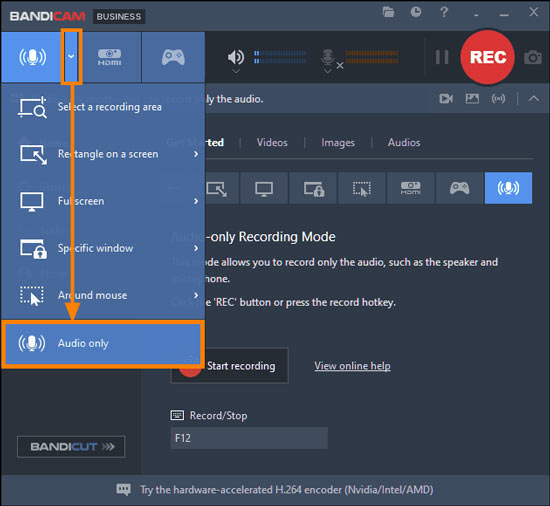
Bandicam is known for its simplicity and versatility, making it a popular choice for users who want an easy, straightforward tool to record Spotify audio. Bandicam can record audio from your computer, including Spotify, using its “Audio only” recording mode. This mode allows you to capture sound directly from your computer or microphone and save it as MP3 or WAV files.
Key Features:
- Record system audio, microphone audio, or both.
- Supports scheduled, auto-complete, and timer recording
- Ability to record audio, screen, webcam, and gameplay
- Multiple format export options (MP3, WAV, MP4, AVI)
- Microphone noise suppression filter
| Pros | Cons |
|---|---|
|
|
2. Audacity
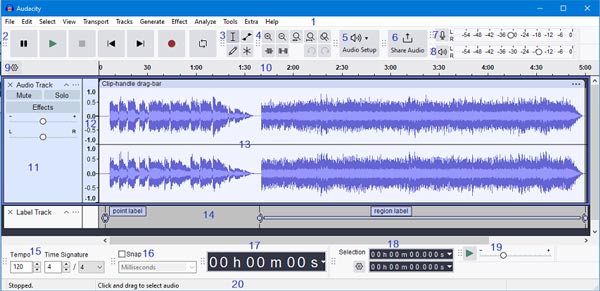
Audacity, an open-source audio recorder and editor, can record any audio playing on your computer, including Spotify, with high precision. Perfect for advanced users who desire full control over editing, this software is not specifically designed for Spotify but can record system audio.
Key Features:
- Record system audio directly
- Multi-track editing capabilities
- Supports various audio formats (MP3, WAV, FLAC)
- Extensive post-processing tools
- Cross-platform (Windows, macOS, Linux)
| Pros | Cons |
|---|---|
|
|
3. AudFree Spotify Music Converter
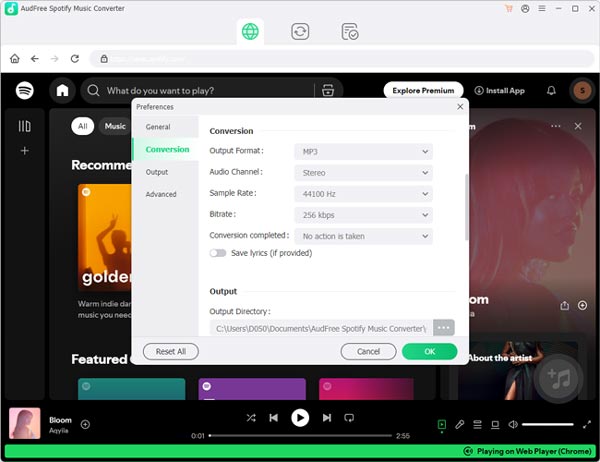
AudFree offers a dedicated Spotify recording solution with a free tier that delivers excellent results for casual users. Additionally, AudFree lets you record music with ID3 tags intact.
Key Features:
- Designed specifically for Spotify recording
- Preserves metadata (title, album, artist)
- 3X faster recording speed
- Free tier allows limited recordings per month
- Maintains original audio quality
| Pros | Cons |
|---|---|
|
|
4. Apowersoft Online Audio Recorder
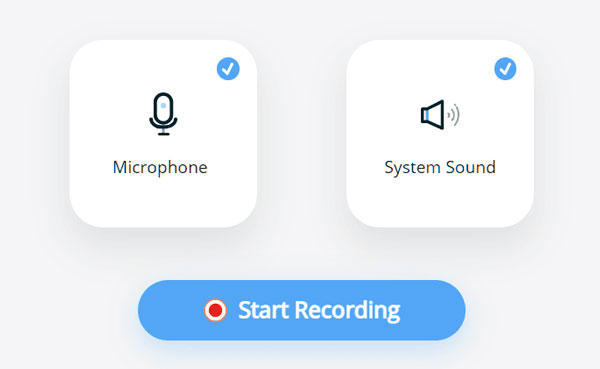
Apowersoft Online Audio Recorder is a free, web-based tool that allows users to record audio directly from their browser. This browser-based solution requires no installation and can record Spotify directly through your web browser. It can record system audio, microphone input, or both simultaneously.
Key Features:
- Web-based recording
- System sound and microphone recording
- Basic editing tools
- Scheduled recording
- Multiple output formats
| Pros | Cons |
|---|---|
|
|
5. Leawo Music Recorder
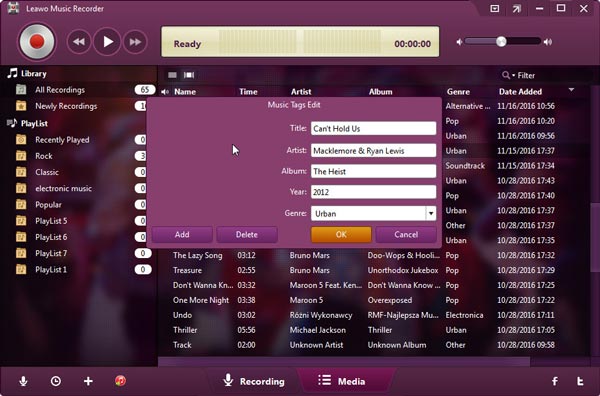
Leawo Music Recorder is a versatile audio recording software that allows users to record music and audio from various sources, including online platforms like Spotify, YouTube, and Pandora. It can save recordings in high-quality formats such as MP3 and WAV. The software also includes features like automatic music tag editing, playlist management, and a task scheduler for timed recordings. This tool records audio from both system and microphone sources and supports direct syncing to iTunes.
Key Features:
- Scheduler for timed recording
- Auto music tagger
- MP3 and WAV output support
| Pros | Cons |
|---|---|
|
|
6. QuickTime Player (Mac)

QuickTime Player is a multimedia application developed by Apple. It’s primarily used on macOS and enables users to play, record, edit, and share audio and video files. QuickTime Player can record audio from Spotify, but it requires a workaround. Since QuickTime Player doesn’t directly capture system audio, you’ll need to use an additional tool like Soundflower.
Key Features:
- Screen recording capability
- Basic media playback for various audio/video formats
- Built-in sharing options
- Native macOS integration
- Audio-only recording mode
| Pros | Cons |
|---|---|
|
|
7. TuneFab Spotify Music Converter
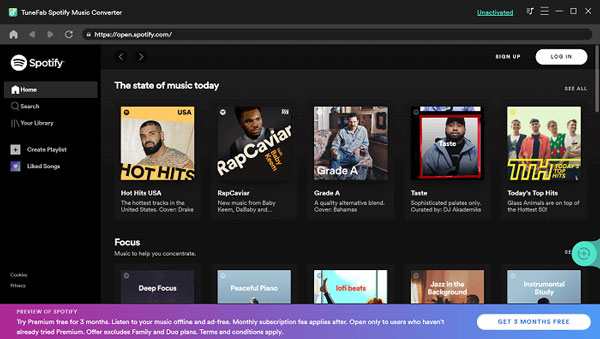
TuneFab is a software solution designed to help users convert and download streaming music and videos into common formats like MP3, M4A, MP4, and more. TuneFab supports platforms like Spotify, Apple Music, Amazon Music, and YouTube, offering high-quality output and efficient conversion processes.
Key Features:
- Direct Spotify recording
- ID3 tag preservation
- Playlist and album batch recording
- Multiple output formats (MP3, M4A, WAV, FLAC)
- 5X conversion speed
| Pros | Cons |
|---|---|
|
|
8. Audio Hijack (macOS)
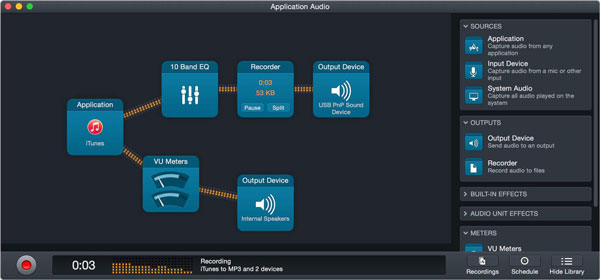
Audio Hijack is a powerful audio recording and processing software designed for macOS. Developed by Rogue Amoeba, it allows users to capture audio from virtually any source on their Mac, including Spotify, system audio, microphones, and external devices.
Key Features:
- Application-specific audio capture
- Advanced audio processing
- Recording scheduler
- Time shifting capabilities
- Audio effects and filters
| Pros | Cons |
|---|---|
|
|
9. Spytify
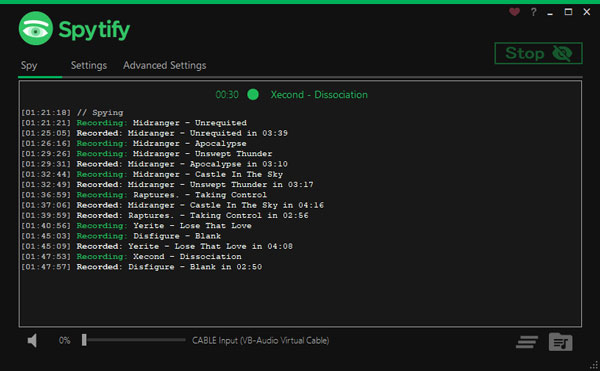
Spytify is a tool designed to record audio from Spotify without ads. It captures the audio output from Spotify and saves it as MP3 files, complete with media tags like song title, artist, and album. It’s an open-source project built for Windows and offers features like skipping duplicate recordings, organizing tracks into folders, and setting timers to automatically stop recording.
Key Features:
- Records audio from Spotify in real time
- Auto song detection and splitting
- Records in MP3 format
- Minimalist interface design
| Pros | Cons |
|---|---|
|
|
10. Cinch Audio Recorder
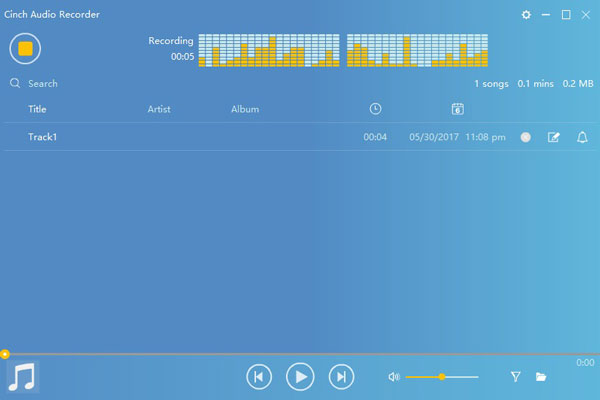
Cinch Audio Recorder is a software tool designed to record streaming audio from various platforms, such as Spotify, Amazon Music, and Apple Music. It captures audio directly from your computer’s sound card, ensuring high-quality output. The recorded files can be saved in formats like MP3 (up to 320kbps) or lossless WAV.
Key Features:
- Built-in audio splitter
- ID3 tag editor
- Noise reduction filter
| Pros | Cons |
|---|---|
|
|
Related FAQs
You can record Spotify audio using software like Bandicam by selecting the “Audio only” mode, playing the desired track on Spotify, clicking the REC button to start, and stopping the recording when finished to save the file.
The best format to save recorded Spotify music depends on your needs—MP3 offers good quality with small file sizes and broad compatibility, while WAV provides uncompressed, high-quality audio ideal for professional editing.
Conclusion
Recording Spotify streams allows you to enjoy your favorite music offline, create backups of cherished playlists, or compile personal collections. The 10 free tools outlined above represent the best options for capturing high-quality audio from Spotify in 2026. While each has its unique strengths, they all deliver excellent audio fidelity without cost.
Remember that recorded music should be for personal use only, respecting artists’ rights and Spotify’s terms of service. For regular offline listening, Spotify Premium remains the most straightforward and artist-supporting option.
Whether you’re a casual listener or a dedicated music collector, these free tools provide accessible solutions for high-quality Spotify audio capture. Consider your specific needs, technical proficiency, and operating system when choosing your ideal Spotify recorder.


