Tips for advanced users »
- Scheduled recording
- Recording for 24 hours
- Recording dual monitors
- Real-time drawing
- Zoom meetings
- Facecam

How to Install Bandicam
Please follow the steps below to install Bandicam.
1. Download and run
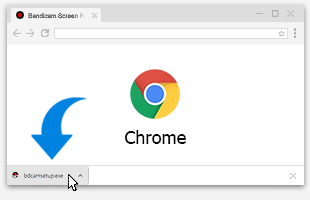
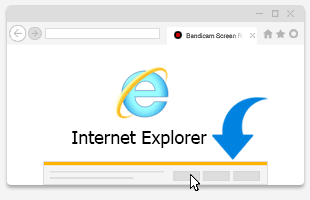
First, go to https://www.bandicam.com/downloads/, and download the free version of Bandicam.After downloading the file, run the "bdcamsetup.exe" file.

2. Installer language
Select a language from the list.
3. Setup window
The 'Bandicam Setup' window will appear. Click 'Next' to continue.
4. License agreement
If you accept the terms, click 'I Agree' to continue.
5. Choose components
Choose the components you want to install. Click 'Next' to continue.
6. Choose installation location
Enter the location where you want to install Bandicam, and click 'Install' to continue.
If you see the "Error opening file for writing" or "Bandicam is in use" error message, end the "bdcam.exe" process from Task Manager and try again.

7. Complete installation
Once you see the 'Completing the Bandicam Setup' window, click 'Finish' to complete your installation.
8. Start Bandicam
Click the 'Bandicam' icon on your desktop or click the 'bdcam.exe' file in the installation folder.
- bdcam.exe (Default): If you click "bdcam.exe" in the Bandicam installation folder (C:\Program Files\Bandicam), Bandicam runs as an administrator or standard user, depending on the Bandicam UAC setting
 .
. - bdcam_admin: Click "bdcam_admin" to run Bandicam as an administrator » "Game Recording" mode and UAC
- bdcam_nonadmin: Click "bdcam_nonadmin" to run Bandicam with a standard user account or guest account.
- bdcam_safemode: Click "bdcam_safemode" if Bandicam doesn't start. It will disable some features of Bandicam, such as a hardware-accelerated H.264 (NVIDIA, Intel, AMD) encoder.

Tip 1) Failed to download and install
If you can't download Bandicam,
- Try other web browsers such as Firefox, Chrome, Safari, Edge, etc.
- Disable anti-virus or toolbar programs.
- Download Bandicam 2.3.1 and try again.
If Bandicam freezes while installing, uncheck the "Debug" option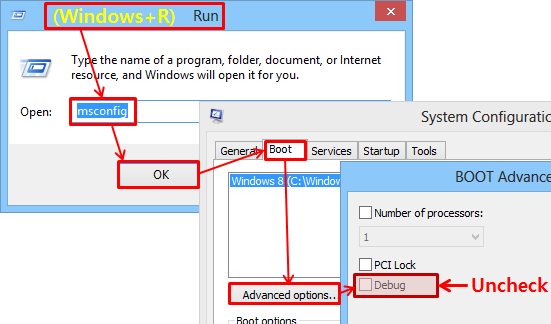 and try again.
» See more
and try again.
» See more
Tip 2) How to register
If you have a license, click on the 'Lock' image to use the full version.
